> For the complete documentation index, see [llms.txt](https://docs.innopaas.com/llms.txt). Markdown versions of documentation pages are available by appending `.md` to page URLs; this page is available as [Markdown](https://docs.innopaas.com/api-reference/whatsapp-business-api/webhook/pei-zhi-webhook.md).

# 配置WebHook

## 配置WebHook事件

&#x20; **在推送模板、上行回复等信事件时，当无法识别或匹配到App时，数据将推送到默认应用，此时如果没有默认应用，将不推送。** &#x20;

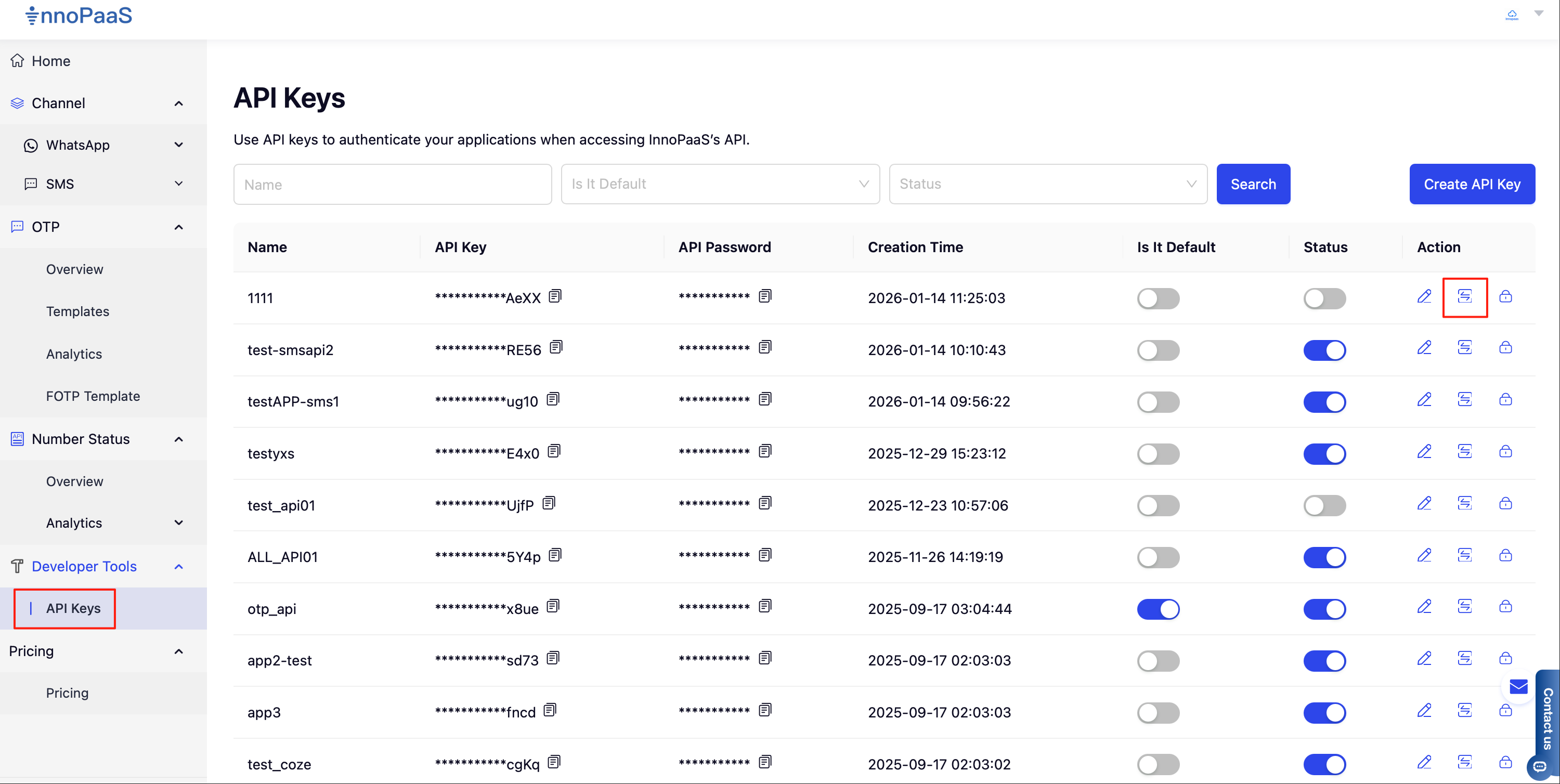
1、 在API Keys功能菜单列表，点击回调事件配置按钮，开始进行配置

<figure><img src="/files/PEEHPiSKPuFFQ9Qw6L0I" alt=""><figcaption></figcaption></figure>

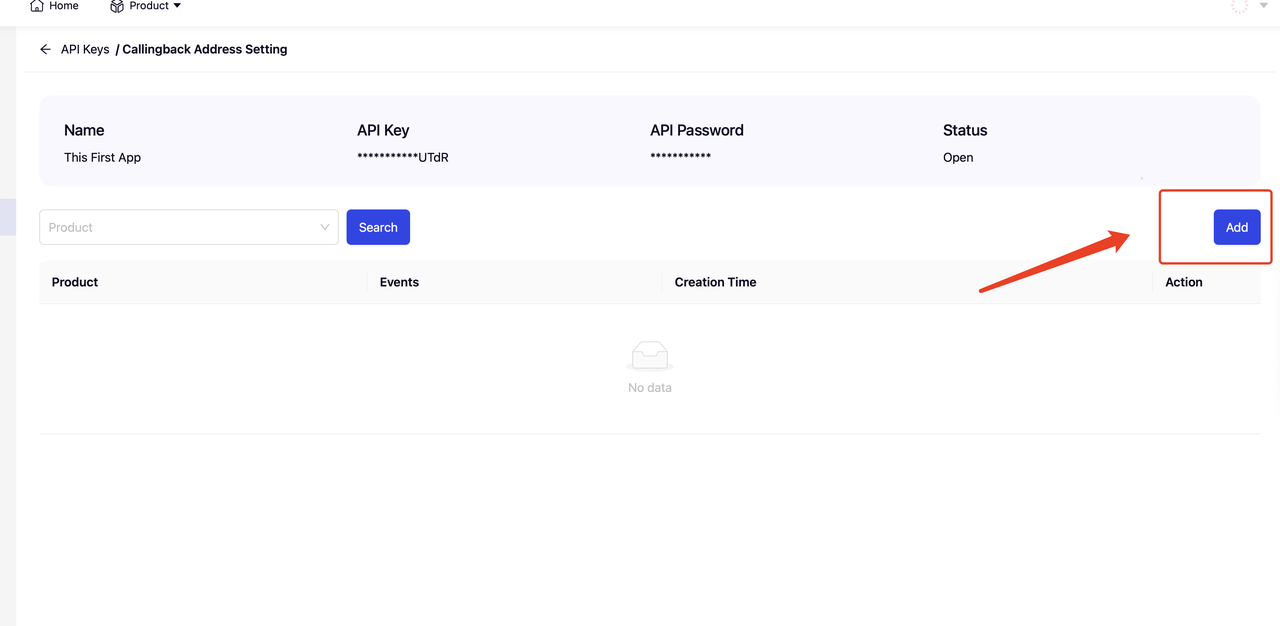
2、点击【Add】按钮进行添加

<figure><img src="/files/b4JL1y9drFKLpw6nviSL" alt=""><figcaption></figcaption></figure>

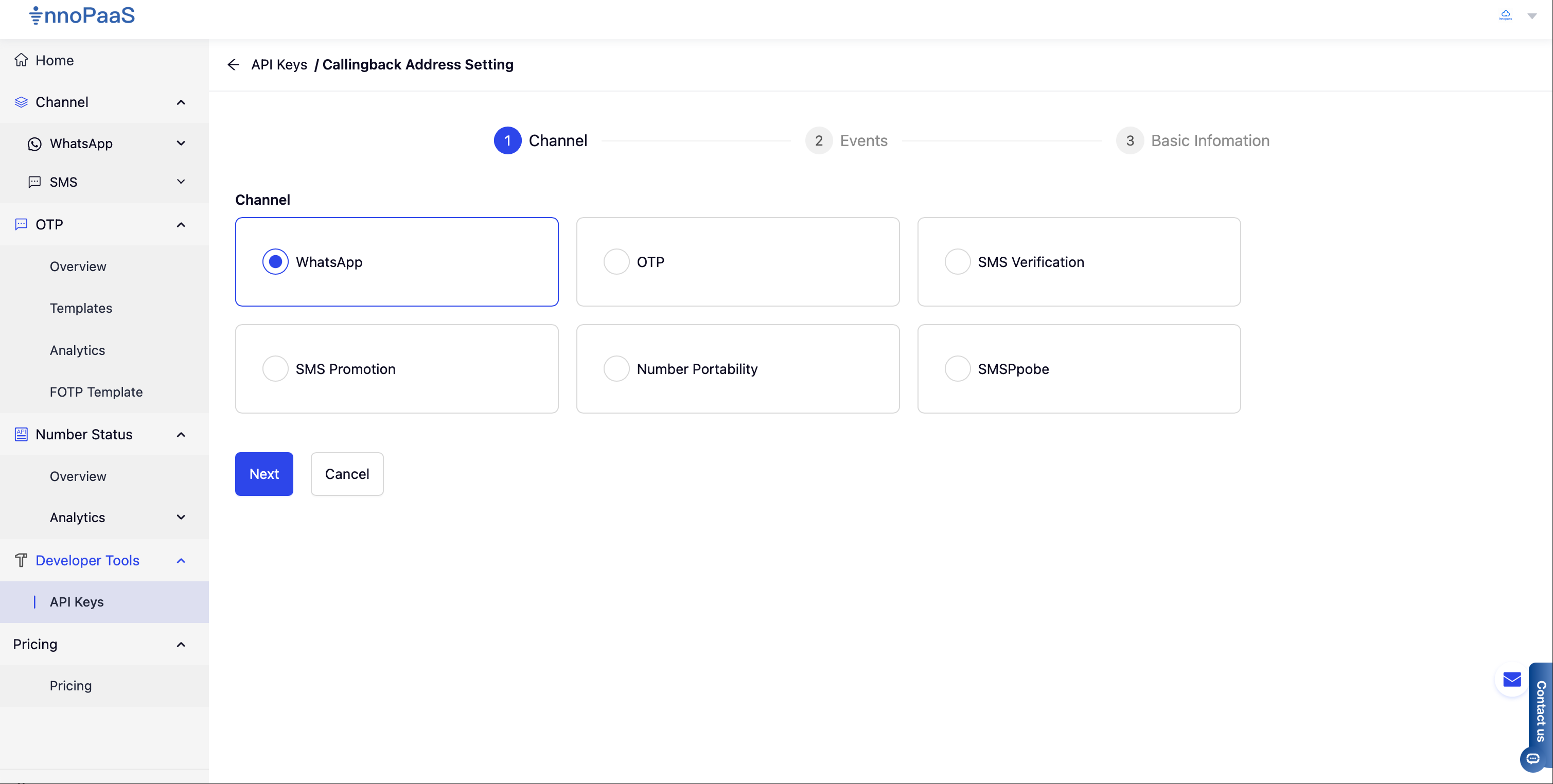
3、从可用产品列表中选择需要配置的WebHook的产品

<figure><img src="/files/rMZqIWqbttHi0vh2Yccj" alt=""><figcaption></figcaption></figure>

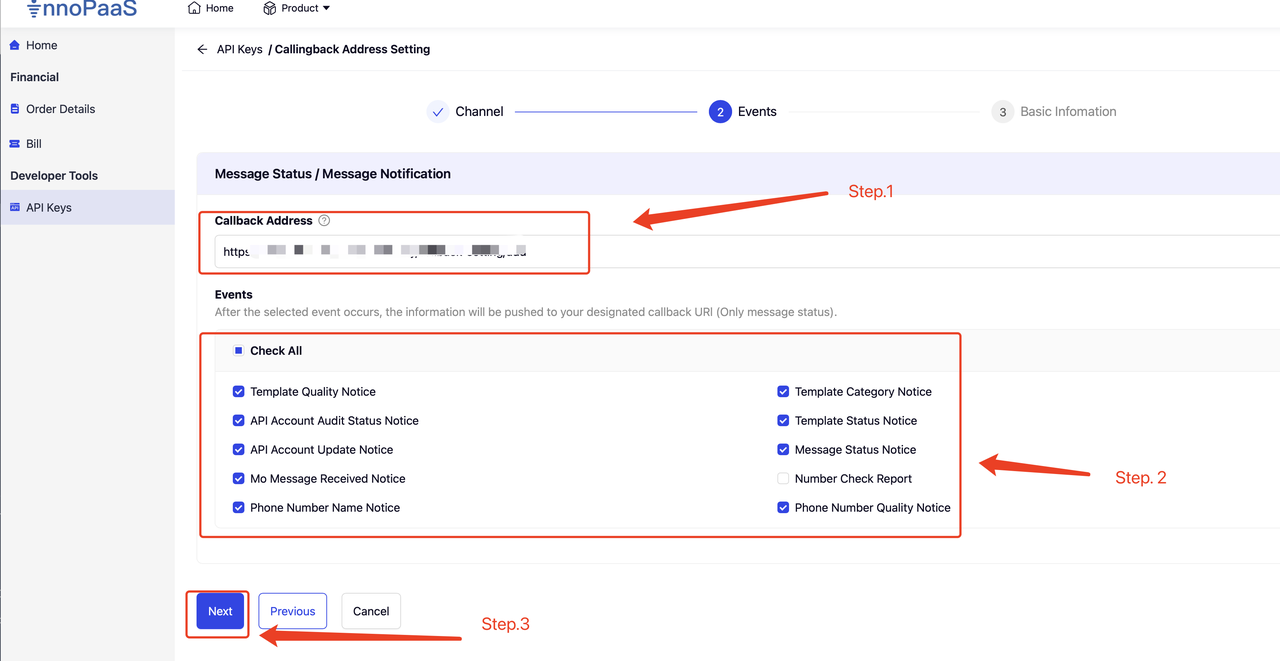
4、配置回调地址，并配置选择需要接收的事件，点击Next进行下一步

<figure><img src="/files/BsfrX75cS3ph5CwcZ9eR" alt=""><figcaption></figcaption></figure>

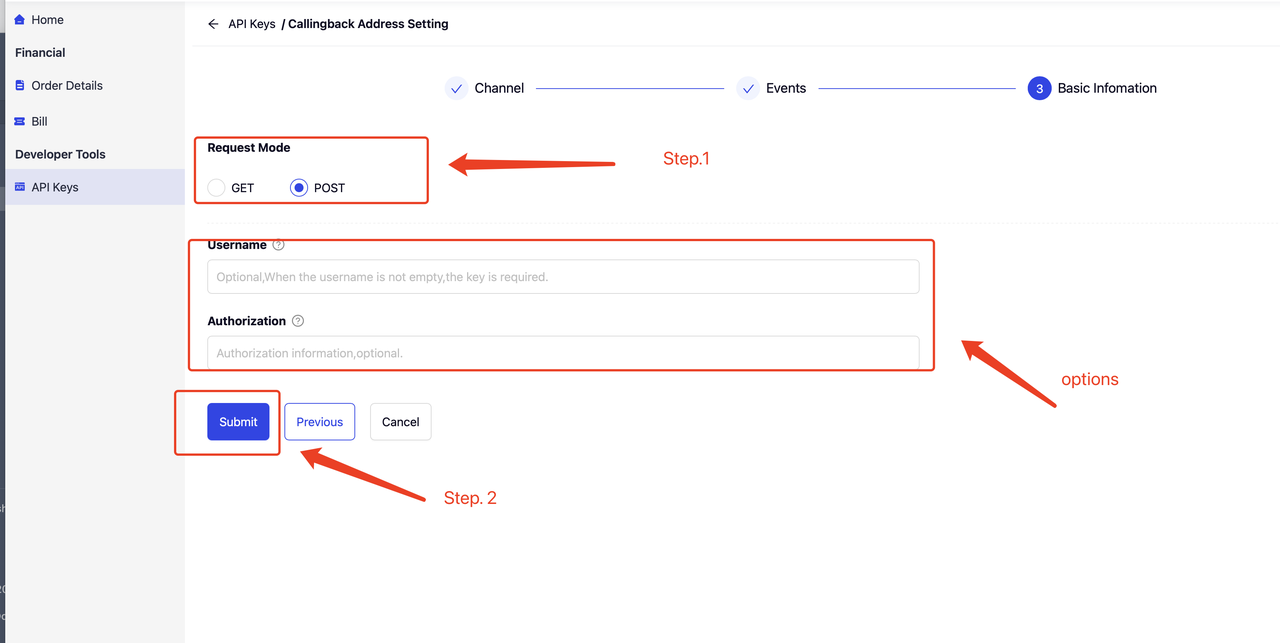
5、选址回调请求方式，默认POST，如果客户业务系统需要对Webhook的来源进行验签，可以配置UserName和Authorization 头信息，在WebHook 通知推送时，将会在头信息中添加UserName和Authorization，将客户配置的信息一起推送到客户系&#x7EDF;**。**

<figure><img src="/files/f8JLK7oF0FPEWtfak20S" alt=""><figcaption></figcaption></figure>

## WebHook公共参数

<table data-header-hidden><thead><tr><th width="107.8046875"></th><th width="92.015625"></th><th width="68.08203125"></th><th></th></tr></thead><tbody><tr><td>字段</td><td>数据类型</td><td>是否必填</td><td>描述</td></tr><tr><td>id</td><td>String</td><td>是</td><td>文件句柄，标记</td></tr><tr><td>type<br></td><td>String<br></td><td>是</td><td>事件类型:<strong>whatsapp_message_status_updated</strong>:消息状态报告 (可用) <strong>whatsapp_mo_message_received</strong>:上行消息 (可用)<strong>whatsapp_template_status_updated</strong>: 模板状态更新 (可用) <strong>whatsapp_account_review_updated</strong>:账号审核状态更新 (更新中) <strong>whatsapp_phone_number_name_update</strong>:发送号码名称更新 (更新中) </td></tr><tr><td>eventTime</td><td>String</td><td>是</td><td>Event时间，eg: 2023-02-22 12:00:00</td></tr><tr><td>body</td><td>JOSN</td><td>是</td><td>消息体</td></tr></tbody></table>


---

# Agent Instructions
This documentation is published with GitBook. GitBook is the documentation platform designed so that both humans and AI agents can read, navigate, and reason over technical content effectively. Learn more at gitbook.com.

## Querying This Documentation
If you need additional information that is not directly available in this page, you can query the documentation dynamically by asking a question.

Perform an HTTP GET request on the current page URL with the `ask` query parameter, and the optional `goal` query parameter:

```
GET https://docs.innopaas.com/api-reference/whatsapp-business-api/webhook/pei-zhi-webhook.md?ask=<question>&goal=<endgoal>
```

`ask` is the immediate question: it should be specific, self-contained, and written in natural language.
`goal` is optional and describes the broader end goal you are ultimately trying to accomplish on behalf of the user. GitBook uses it to tailor the answer towards what is most useful for that goal.

The response will contain a direct answer to the question and relevant excerpts and sources from the documentation.

Use this mechanism when the answer is not explicitly present in the current page, you need clarification or additional context, or you want to retrieve related documentation sections.
