> For the complete documentation index, see [llms.txt](https://docs.innopaas.com/llms.txt). Markdown versions of documentation pages are available by appending `.md` to page URLs; this page is available as [Markdown](https://docs.innopaas.com/documentation/documentation-en/otp-product/fotp-template.md).
# FOTP Template
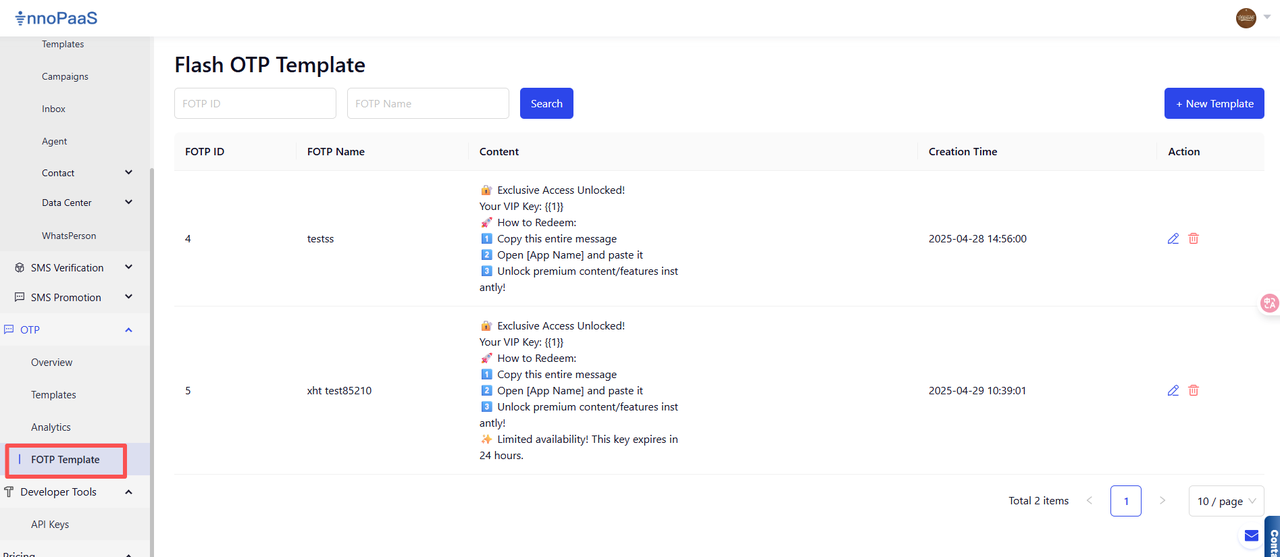
Click the OTP-FOTP Template function and create a new template
1. Create a new Fotp template
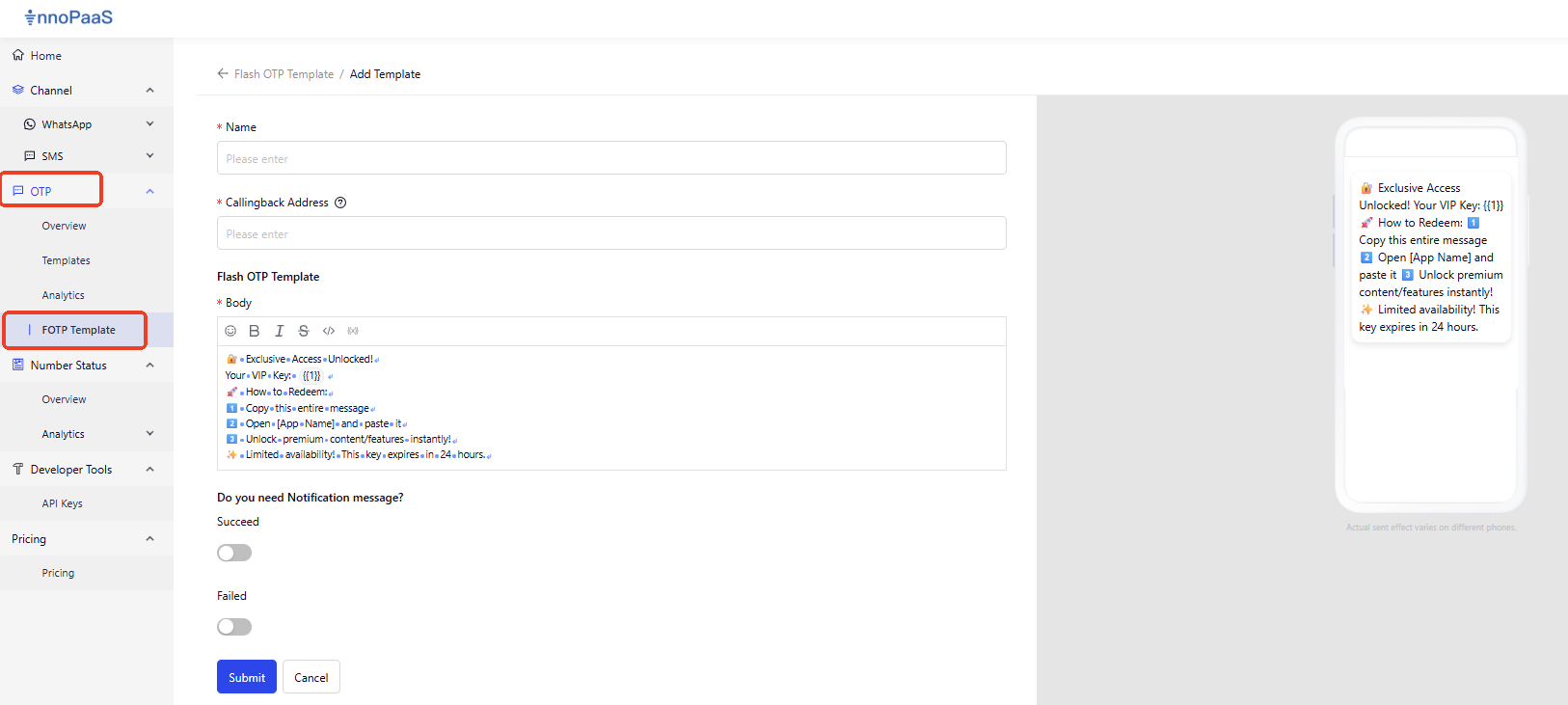
Step 1: Click \[+New Template]
Step 2: Maintain the template content according to your actual needs .
1. Fill in the template name and callback address (after the client sends content, we will push upstream information including text content and verification code to you).
2. Maintain the language and text content of the template (the default content is in English, and you can adjust the template content according to your actual needs).
3. Check whether success or failure notification messages are required, and maintain the content of the notification messages.
4. After clicking Submit, the template takes effect.
2. Interface Docking and Sending
See Fotp Interface Documentation for details: