> For the complete documentation index, see [llms.txt](https://docs.innopaas.com/llms.txt). Markdown versions of documentation pages are available by appending `.md` to page URLs; this page is available as [Markdown](https://docs.innopaas.com/documentation/documentation-en/otp-product/overview.md).
# Overview
Universal OTP Channels for SMS and WhatsApp messages
What is OTP product?
The OTP product provides professional dual-channel verification code delivery services via SMS and WhatsApp, ensuring the security and reliability of your users' critical processes such as login and transactions.
**Dual Channel Options**
SMS Verification Codes: Leveraging carrier networks for broad coverage and strong adaptability.
WhatsApp Verification Codes: Delivered via the internet with high delivery rates and cost-effectiveness. You can quickly utilize our shared channel without needing to set up your own WhatsApp Business account.
**Core Advantages**
* Delivery Guarantee: Dual-channel options enhance delivery reliability.
* Global Coverage: Supports sending to users in multiple countries.
* Rapid Integration: Provides a simple API to help you launch quickly.
* Real-Time Monitoring: Offers sending status and delivery reports.
## Platform Test Send
You can test sending SMS verification codes or WhatsApp verification codes on the OTP product page of the InnoPaaS platform. Click “OTP-Get Started” to enter the test sending process.
Step 1: Send Verification Request: Enter recipient information, select the sending method (SMS, WhatsApp), language, Sender, and the verification code you want to test and click Send.
Step 2: See verification response
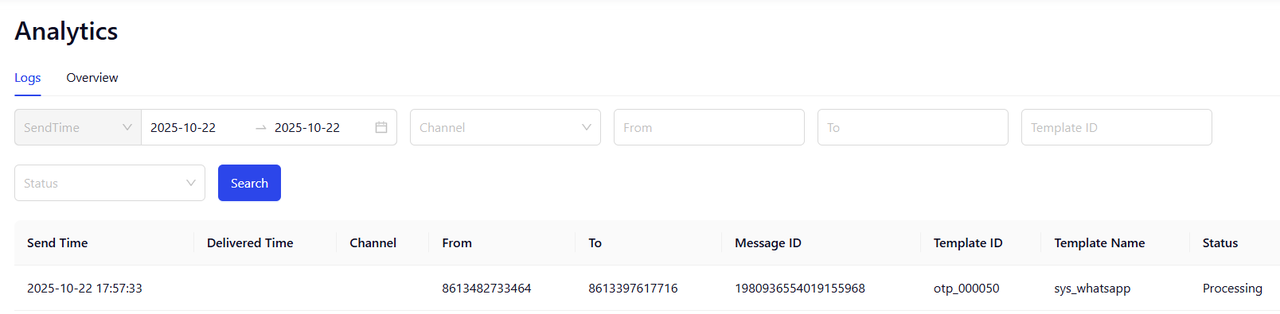
Step 3: Check Delivery Report
## OTP Product API Interface Documentation
Please refer to:
{% content-ref url="/spaces/TjPy9fKSkRxSoNbS4f9T/pages/a5b643aa8e830a7d887612264dcb167692cabdbf" %}
[OTP API](/api-reference/api-reference-en/otp-api/otp-api.md)
{% endcontent-ref %}