> For the complete documentation index, see [llms.txt](https://docs.innopaas.com/llms.txt). Markdown versions of documentation pages are available by appending `.md` to page URLs; this page is available as [Markdown](https://docs.innopaas.com/documentation/documentation-en/readme/innopaas-account-registration-and-login/subaccount-creation.md).
# Subaccount Creation
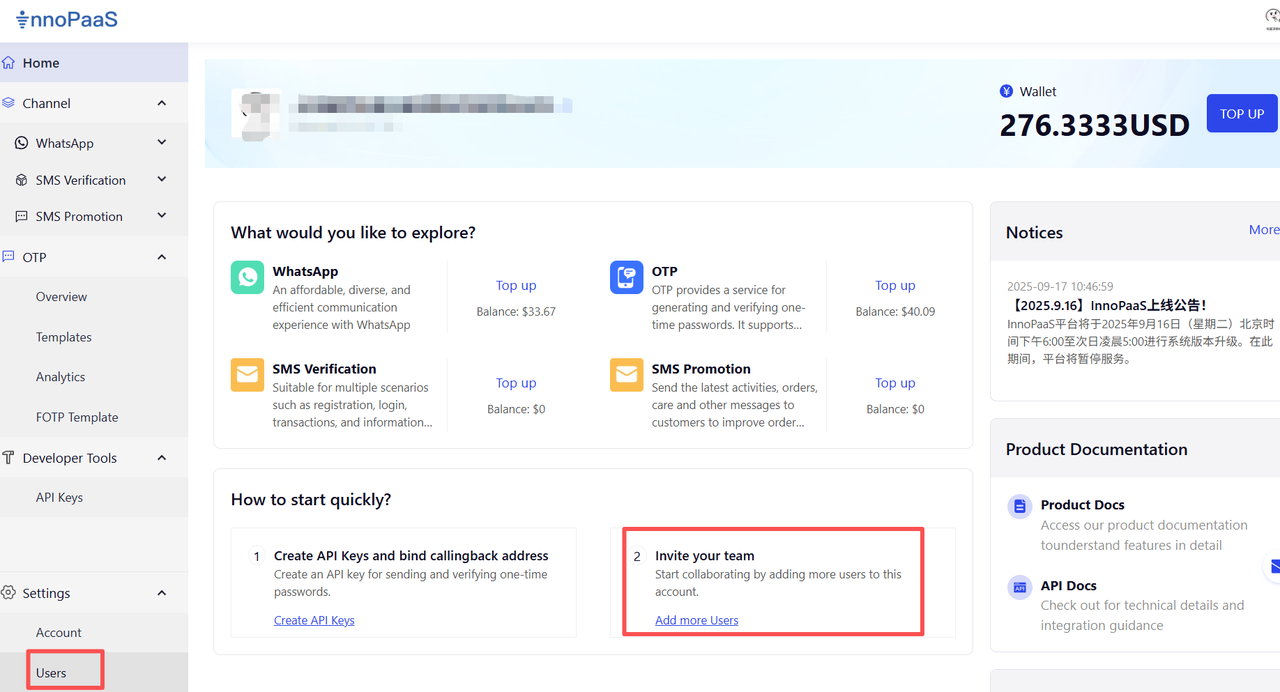
Click "Add More Users" to manage and add users.
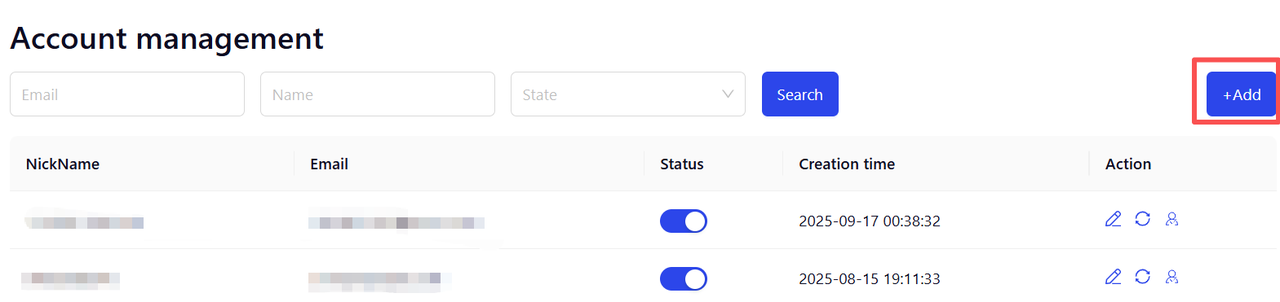
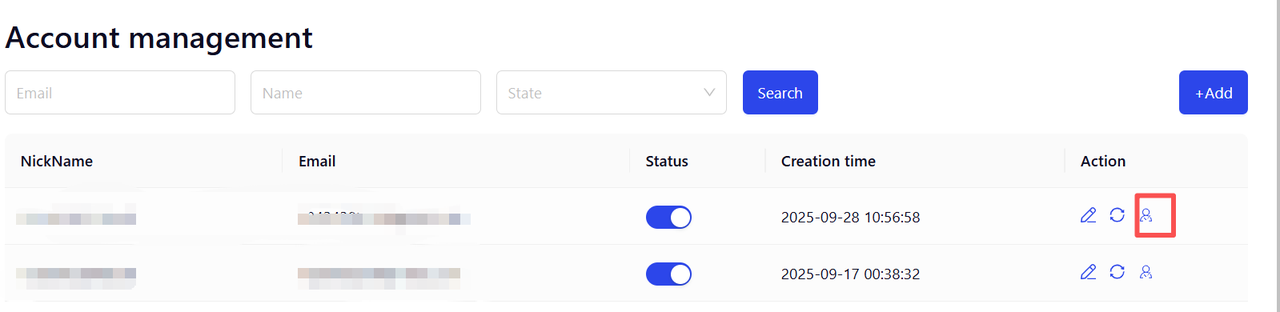
Click 【+Add】 to add a new user.
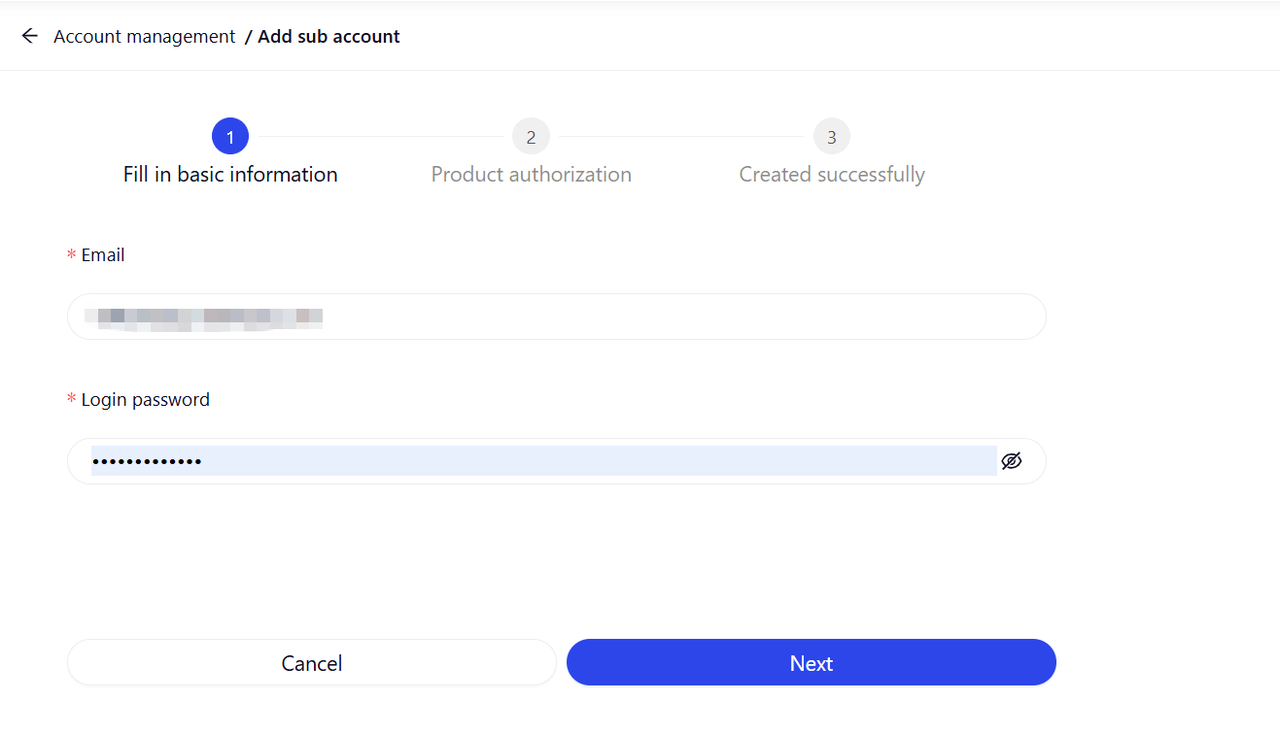
Step 1: Fill in basic information: user's email and login password.
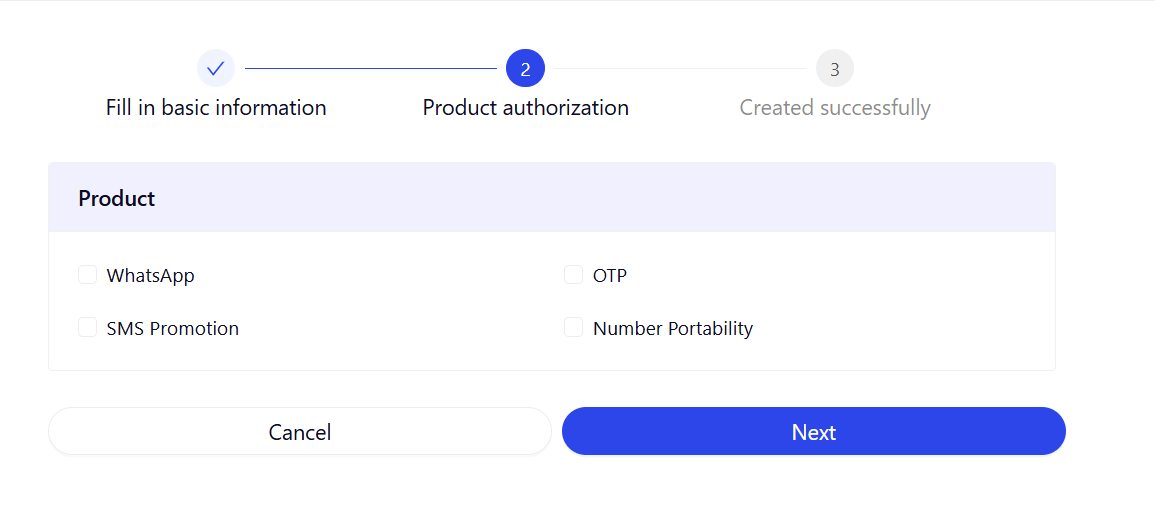
Step 2: Product Permissions: Check the products that the current user can use.
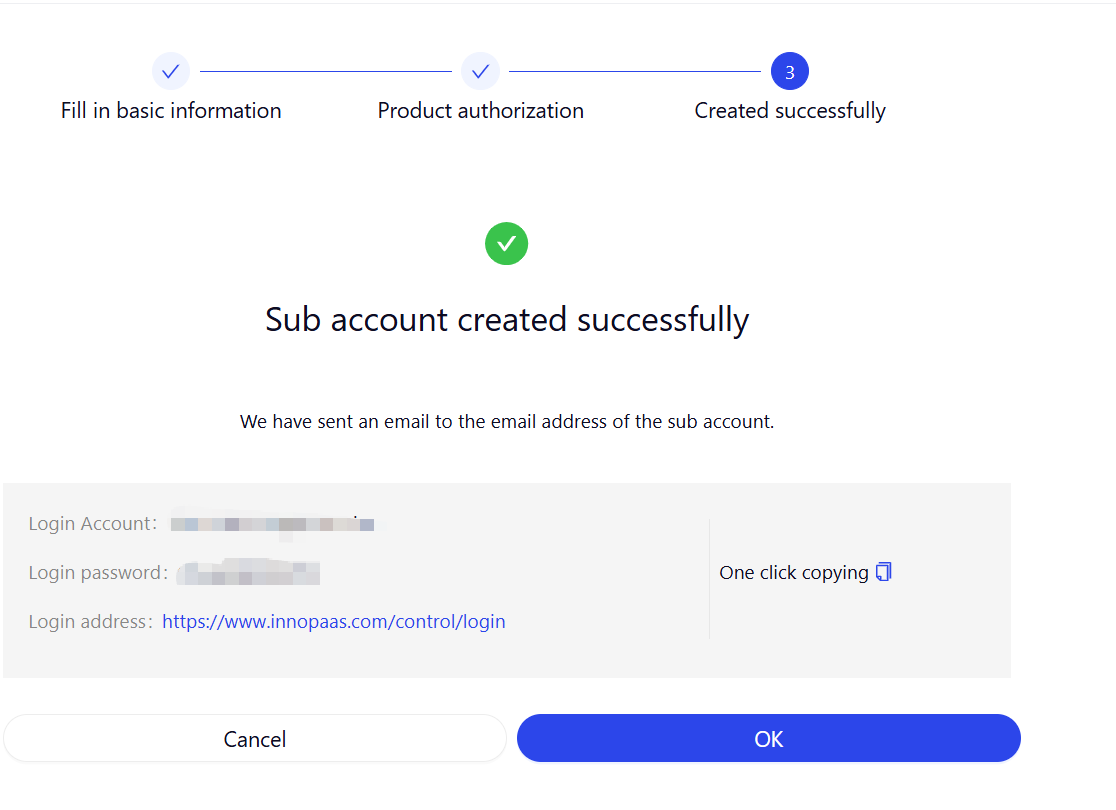
Step 3: Creation Successful: Copy the account password, and the new user can use the login address to log in.
Step4: Click the permission button to enter the permission configuration.
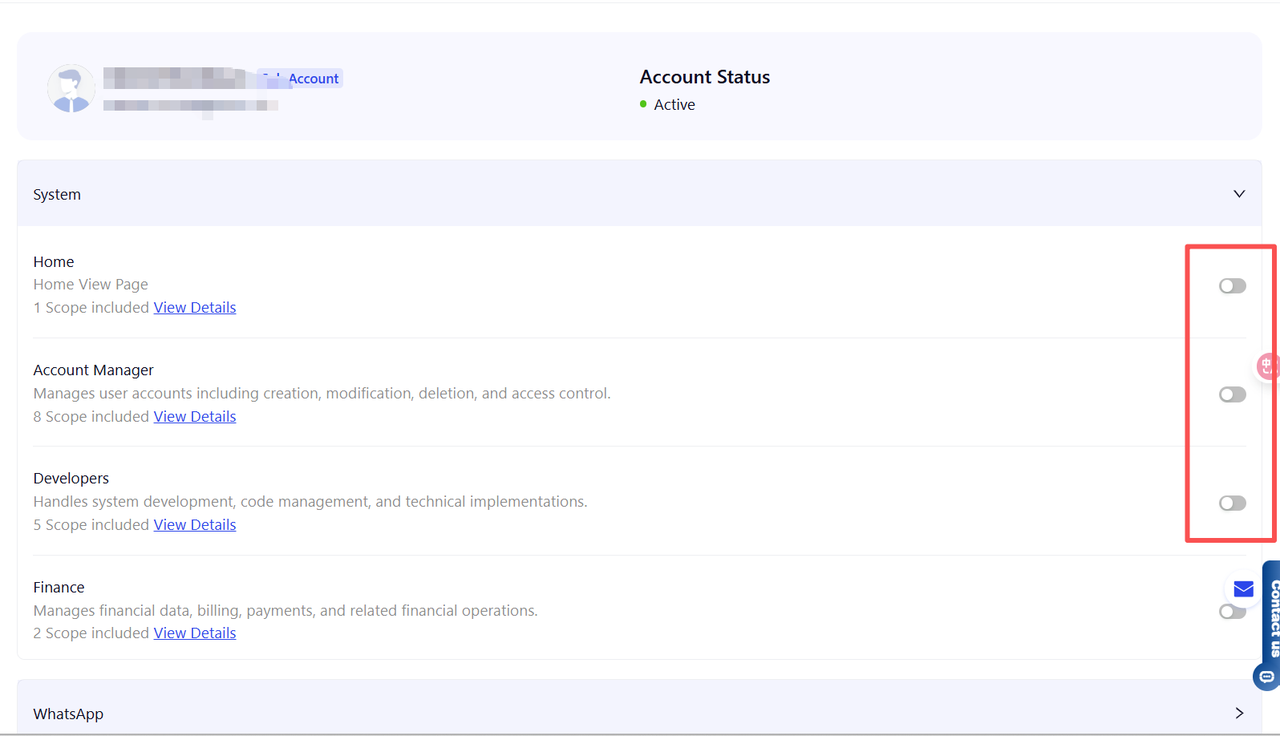
Step 5: The primary account configures permissions for the sub-account.