> For the complete documentation index, see [llms.txt](https://docs.innopaas.com/llms.txt). Markdown versions of documentation pages are available by appending `.md` to page URLs; this page is available as [Markdown](https://docs.innopaas.com/documentation/documentation-en/sms-promotion/overview.md).
# Overview
> If you wish to send SMS verification codes, please refer to the [OTP product](/documentation/documentation-en/otp-product/overview.md) introduction.
## Platform Test Send
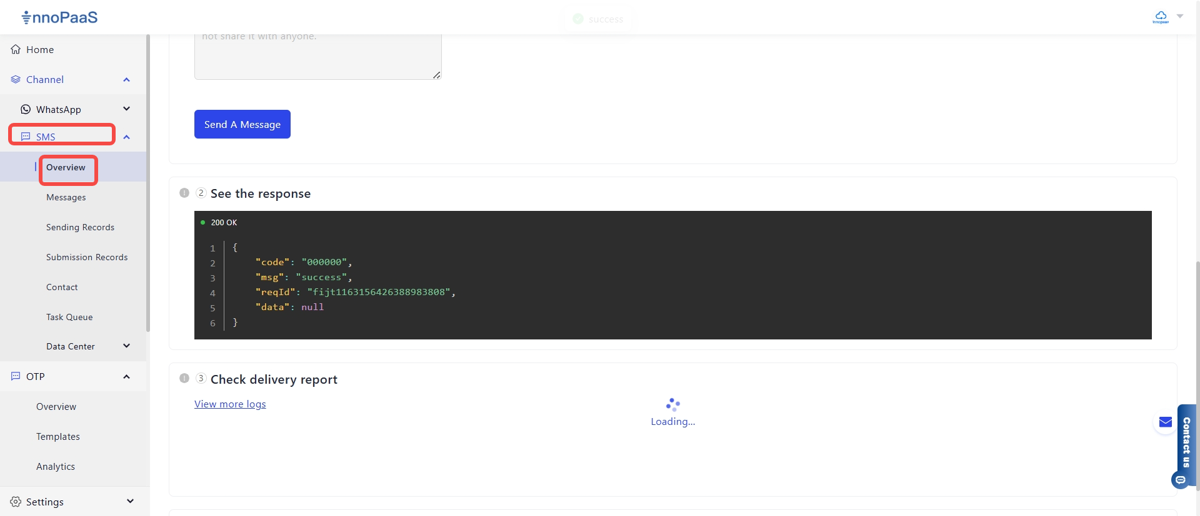
Log in to the InnoPaaS platform, click “Channel-SMS-Overview” to enter the test sending process.
Step 1:
\
Send Request: Fill in recipient information, enter message content, then click Send.
Step 2: Review the response and return report.
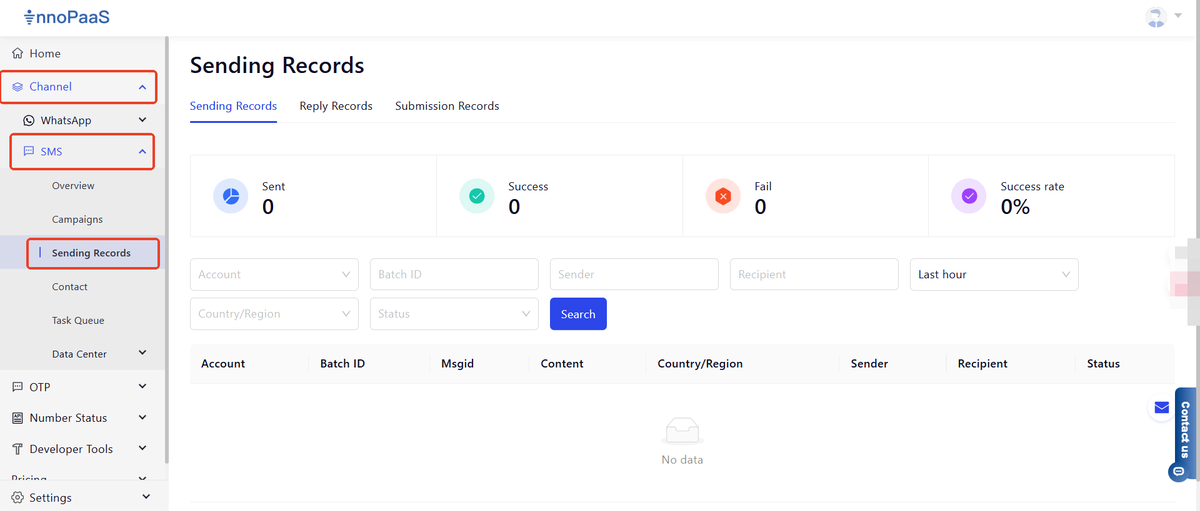
On the "Sending Records" page, you can view send details.
## SMS API Interface Documentation
please refer to:
{% content-ref url="/spaces/TjPy9fKSkRxSoNbS4f9T/pages/4b57538ef673a431db8e96dc202c7eb628645d05" %}
[SMS API ](/api-reference/api-reference-en/sms-api/sms-api-interface-v3.0.md)
{% endcontent-ref %}