> For the complete documentation index, see [llms.txt](https://docs.innopaas.com/llms.txt). Markdown versions of documentation pages are available by appending `.md` to page URLs; this page is available as [Markdown](https://docs.innopaas.com/documentation/documentation-en/whatsapp-product/editor/marketing-templates.md).
# Marketing Templates
How to create Marketing templates on the InnoPaaS platform.
## 1. Log in [InnoPaaS account](https://innopaas.com/control/login)
## 2. Select WABA
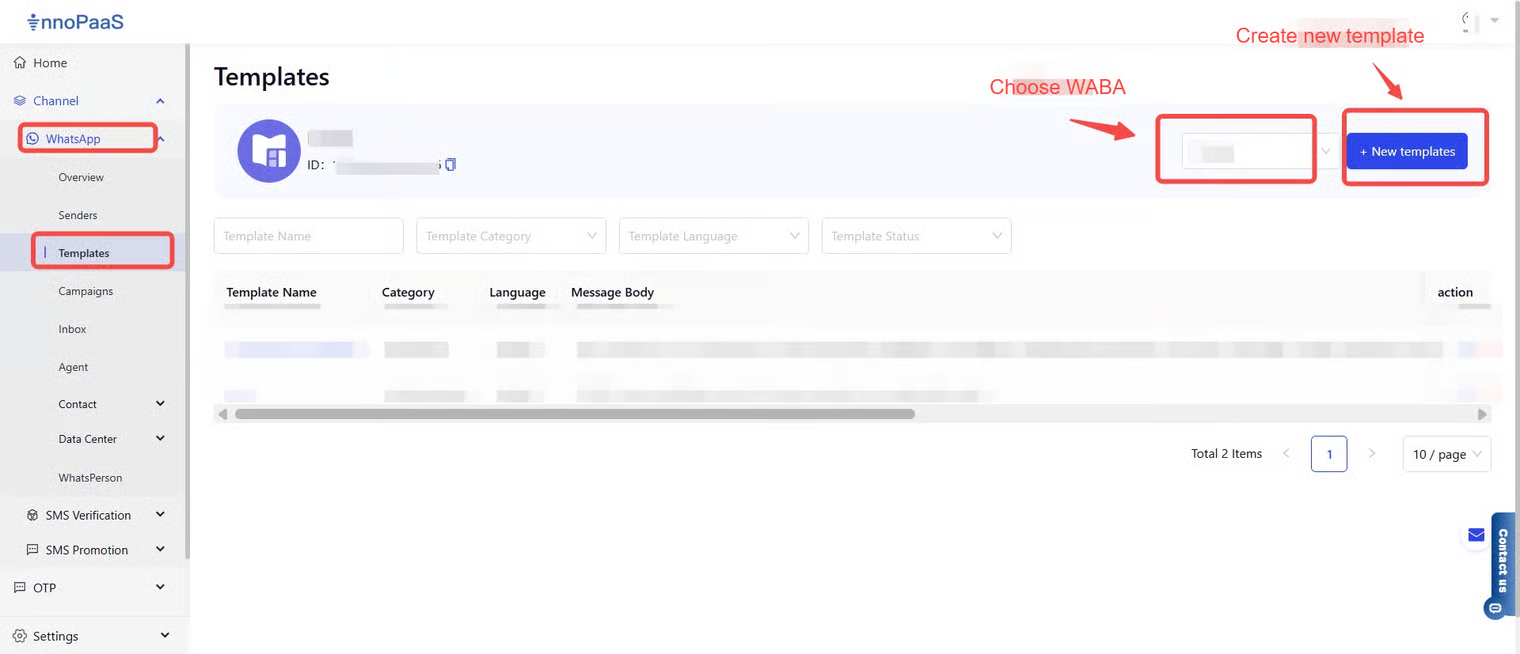
Select the WhatsApp product and choose "Templates". After entering the page, select the WABA under which you want to create the message template, then click "+ New templates".
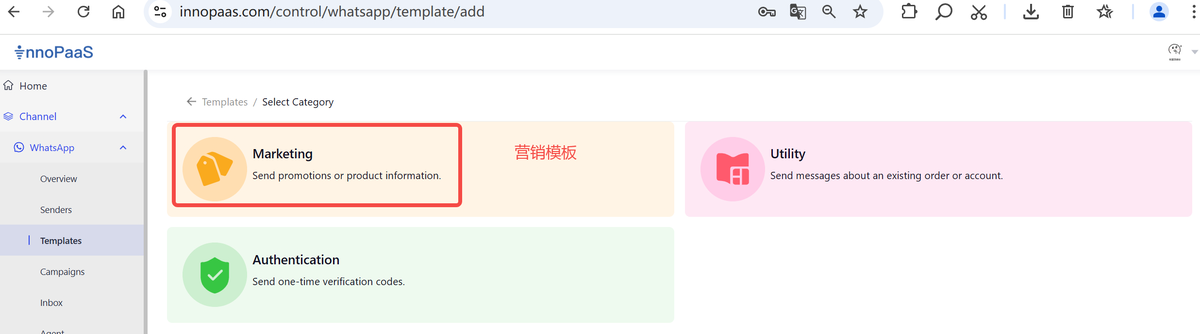
## 3. Choose marketing template