> For the complete documentation index, see [llms.txt](https://docs.innopaas.com/llms.txt). Markdown versions of documentation pages are available by appending `.md` to page URLs; this page is available as [Markdown](https://docs.innopaas.com/documentation/documentation-en/whatsapp-product/editor/message-template-appeals.md).
# Message Template Appeals
## Message template was rejected
If the message template you created was rejected, you can appeal by following these steps:
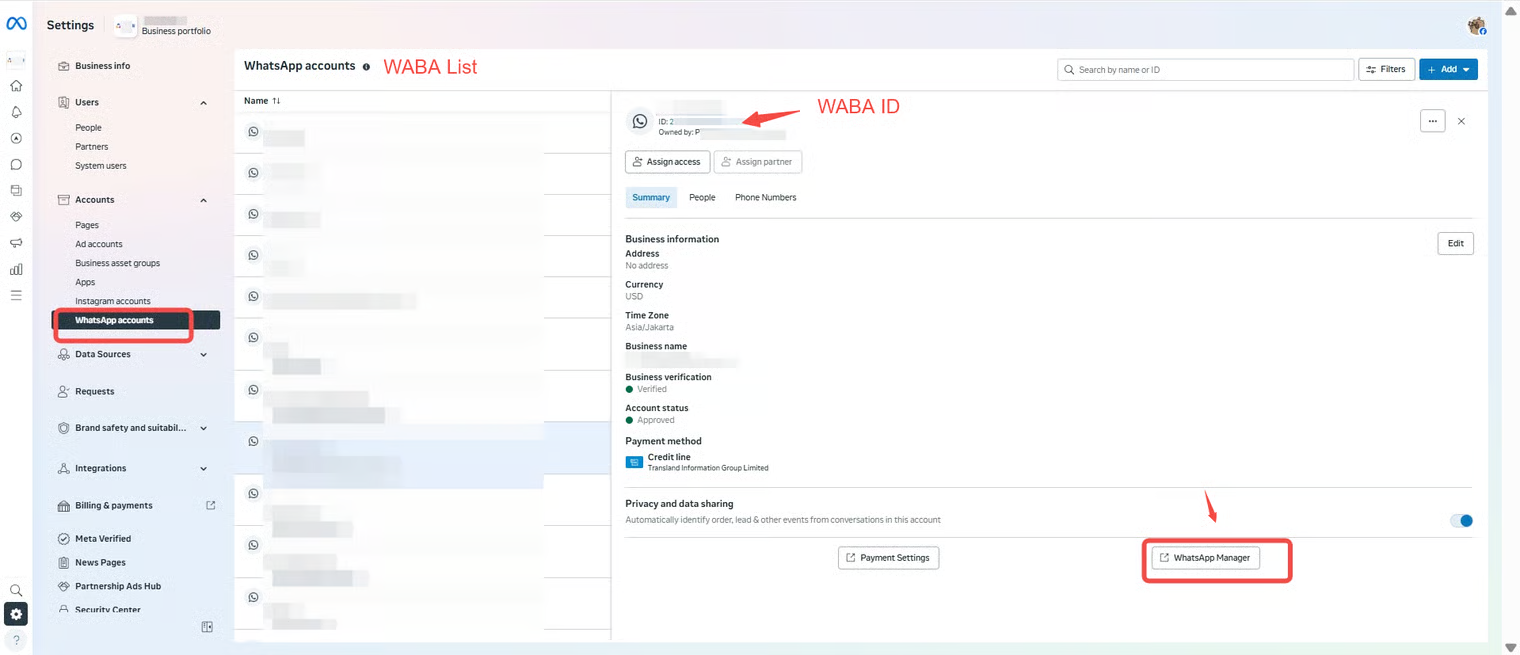
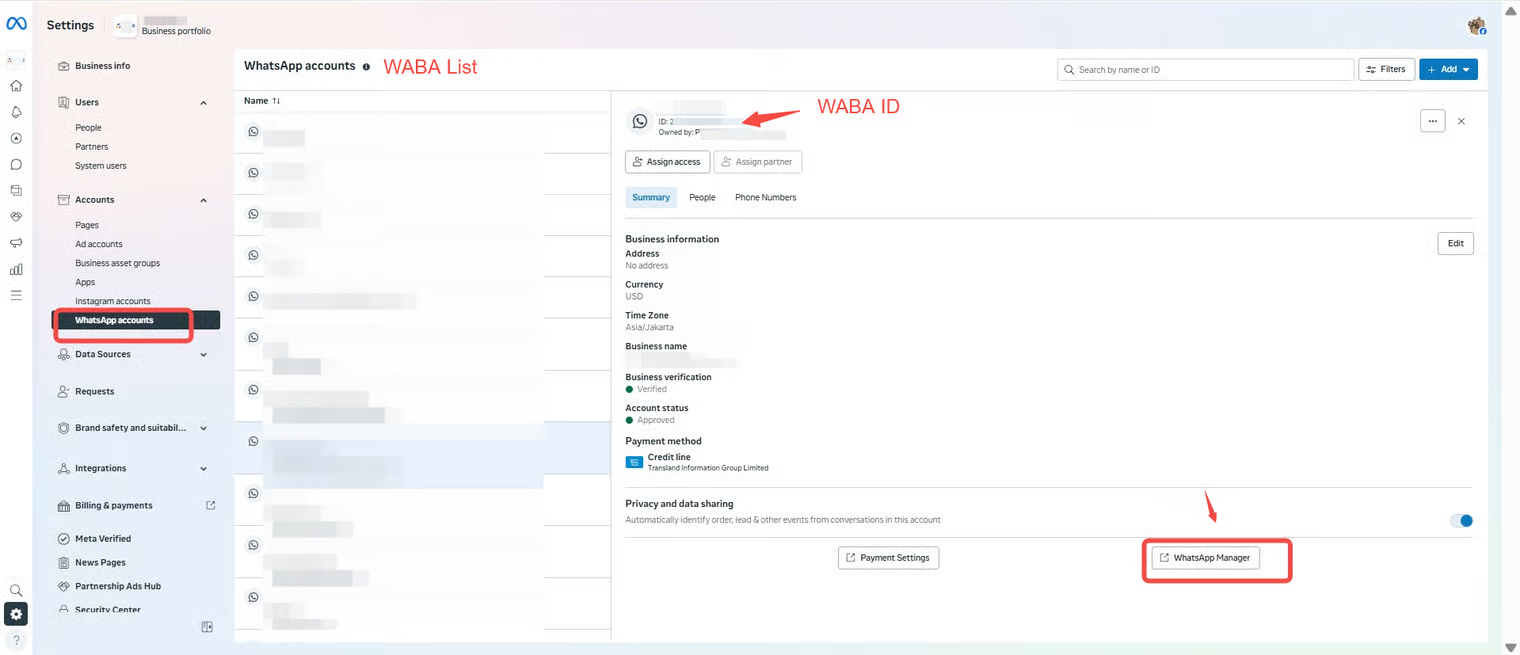
Log in [BM platform](https://business.facebook.com/latest/settings/whatsapp_account?business_id=), find the corresponding WABA, and click "WhatsApp Manager".
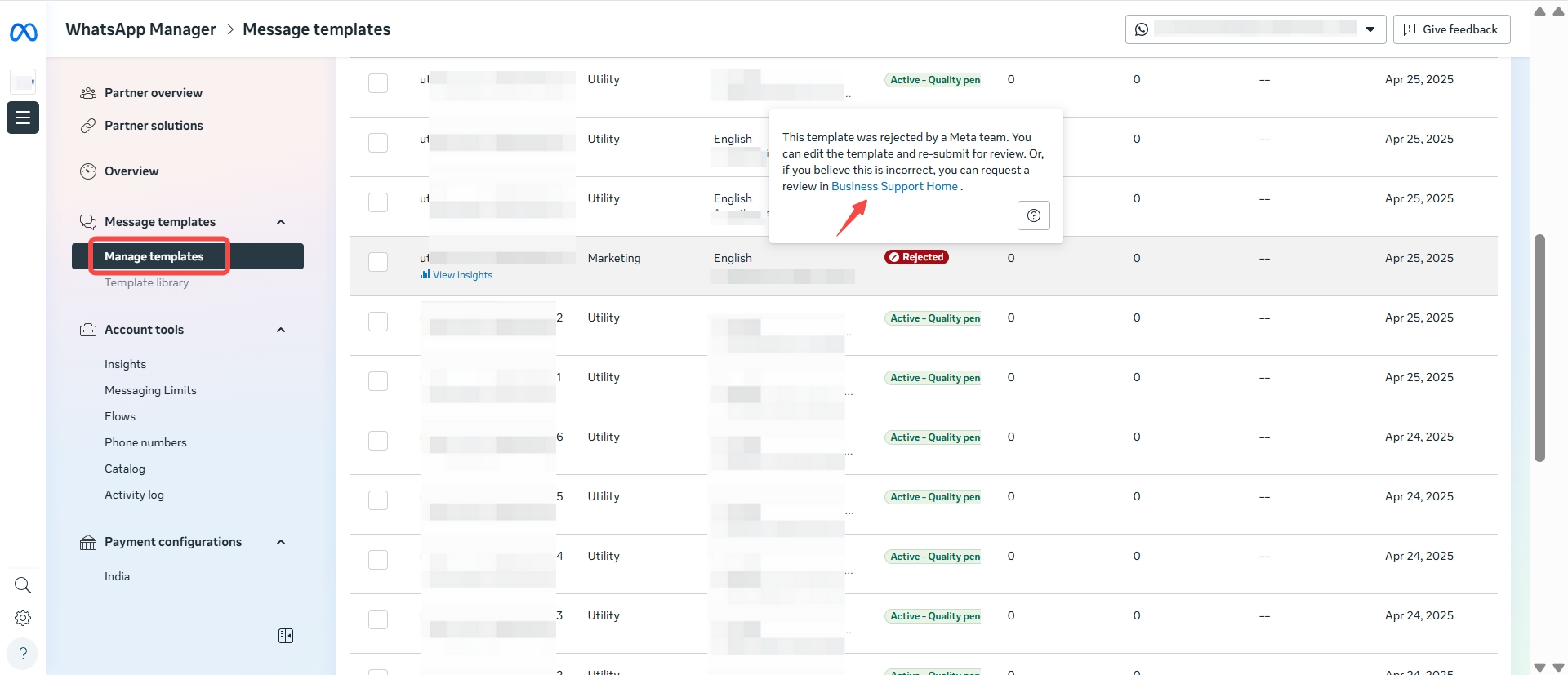
Click "Manage templates", select the rejected template, and appeal according to Meta instructions.
## Template category updates
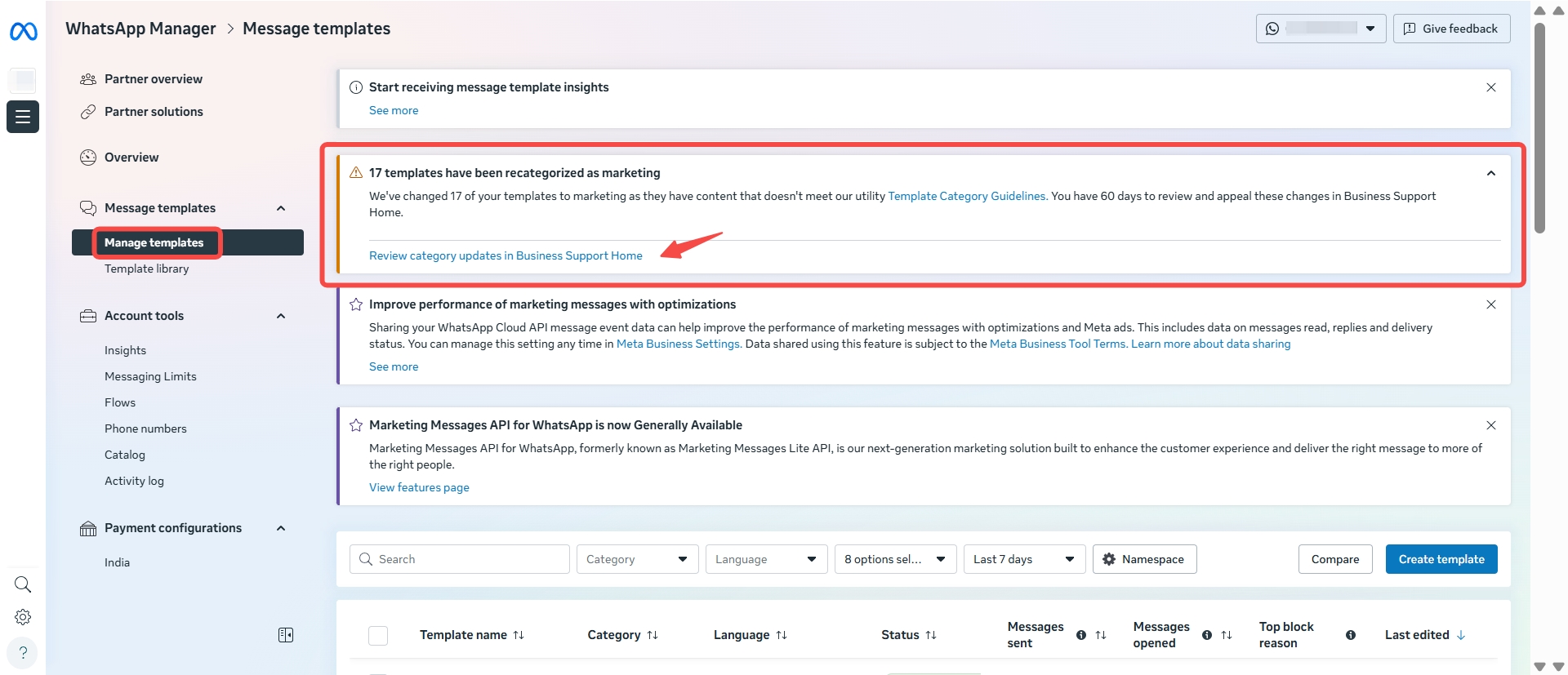
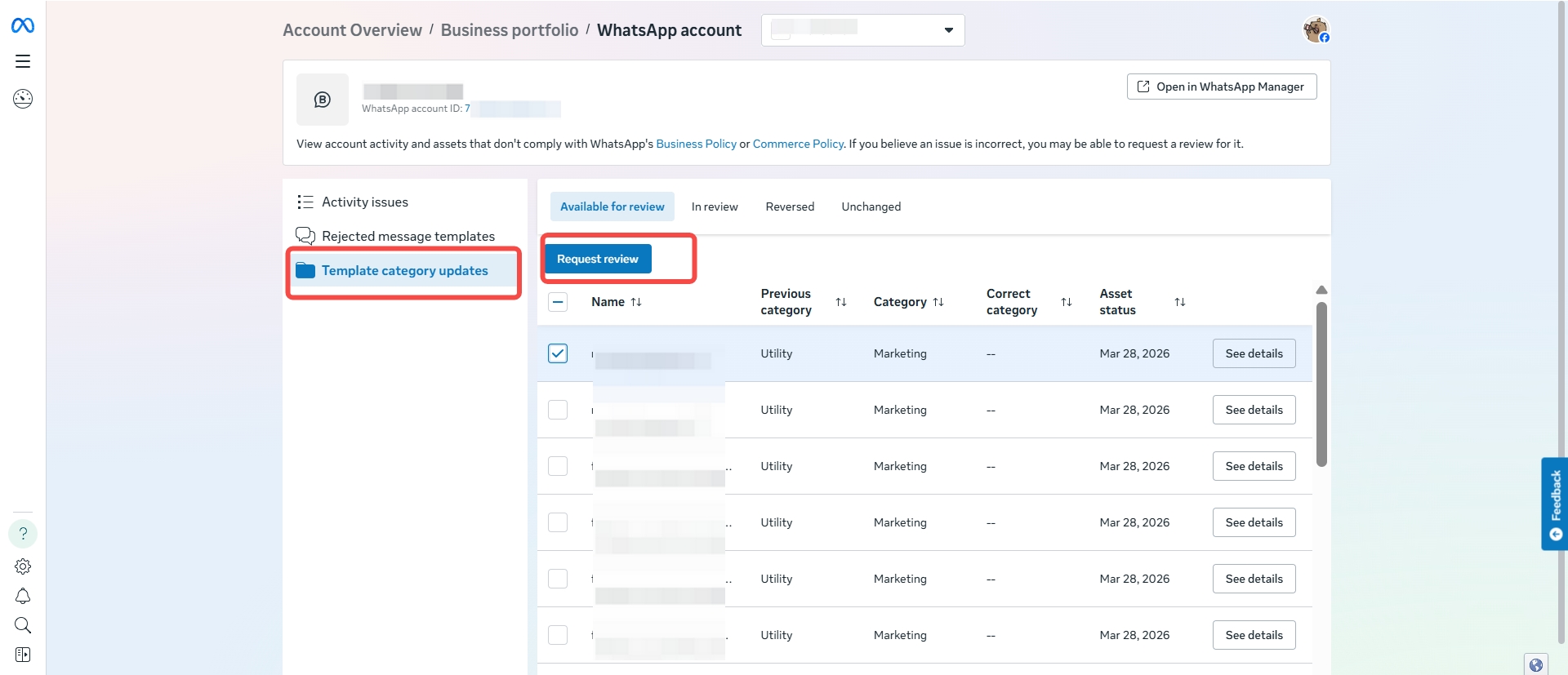
If your template category was changed by Meta, you can appeal by following these steps:
Log in [BM platform](https://business.facebook.com/latest/settings/whatsapp_account?business_id=), find the corresponding WABA, and click "WhatsApp Manager".
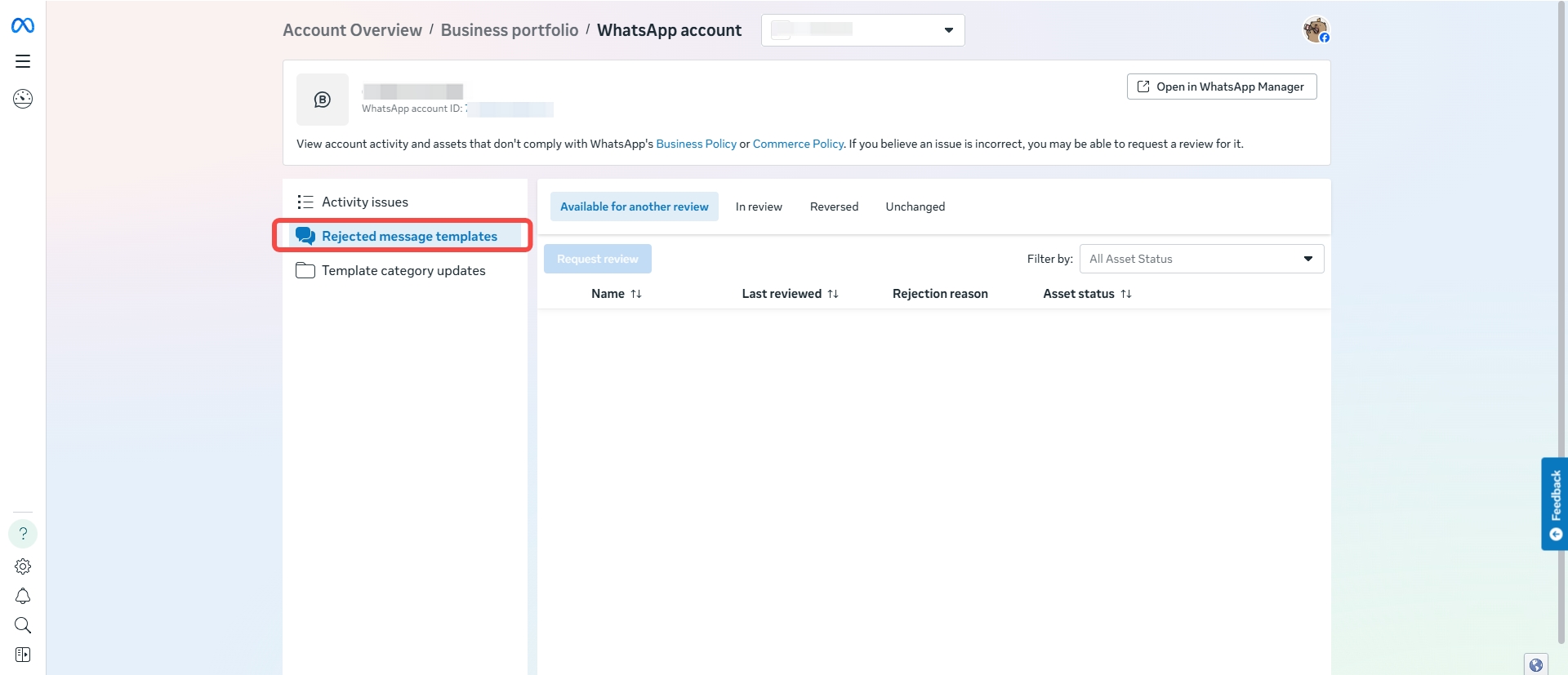
Click "Message templates" and appeal according to the instructions.
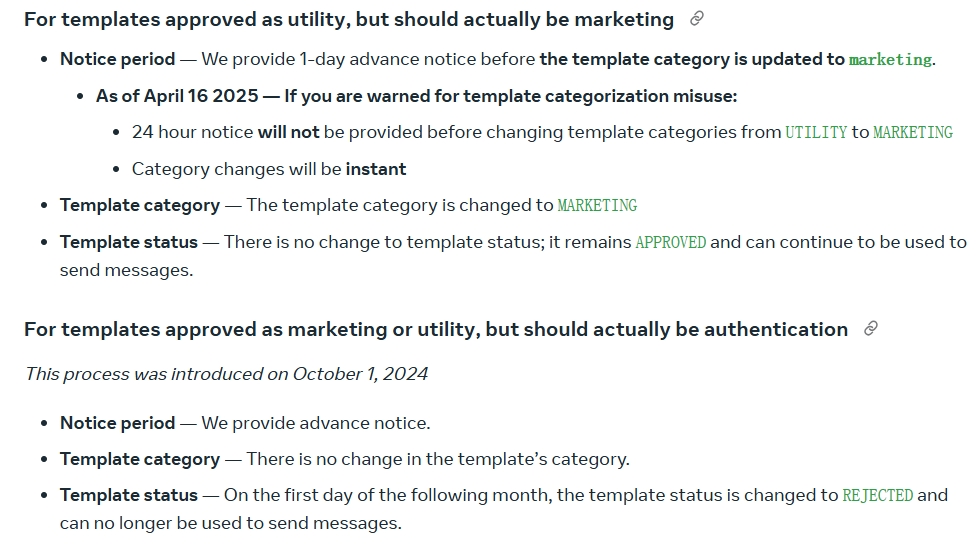
Meta's explanation of this:
{% hint style="info" %}
If the template category changes, Meta will notify you via email and webhook.
{% endhint %}