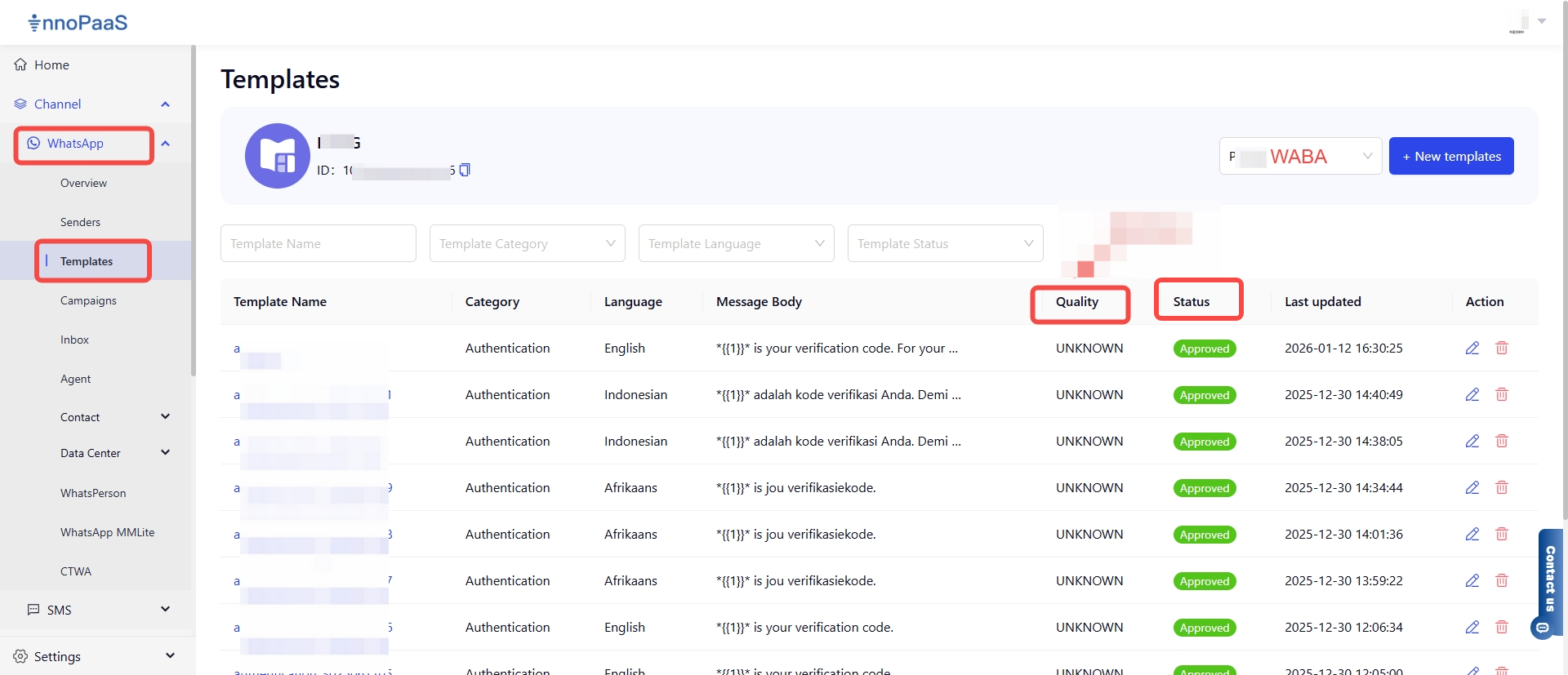
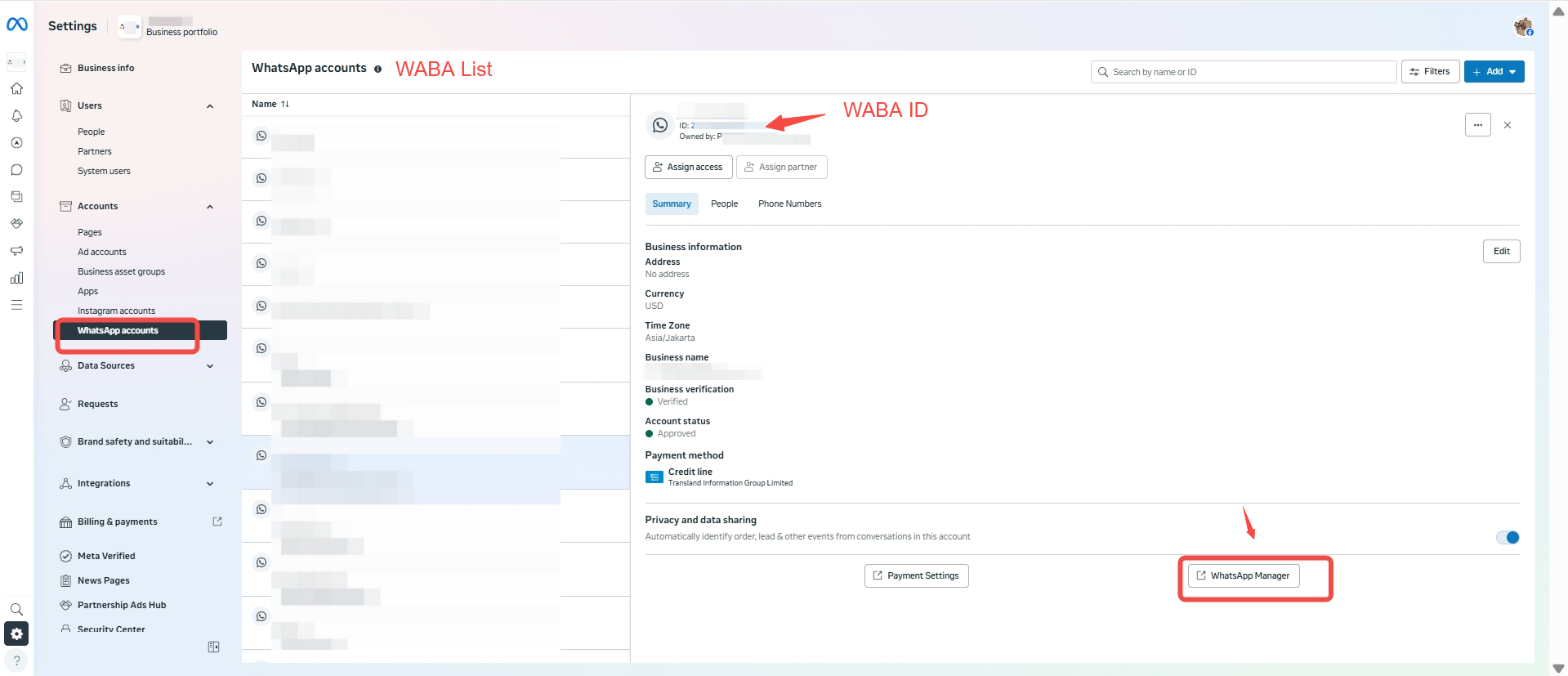
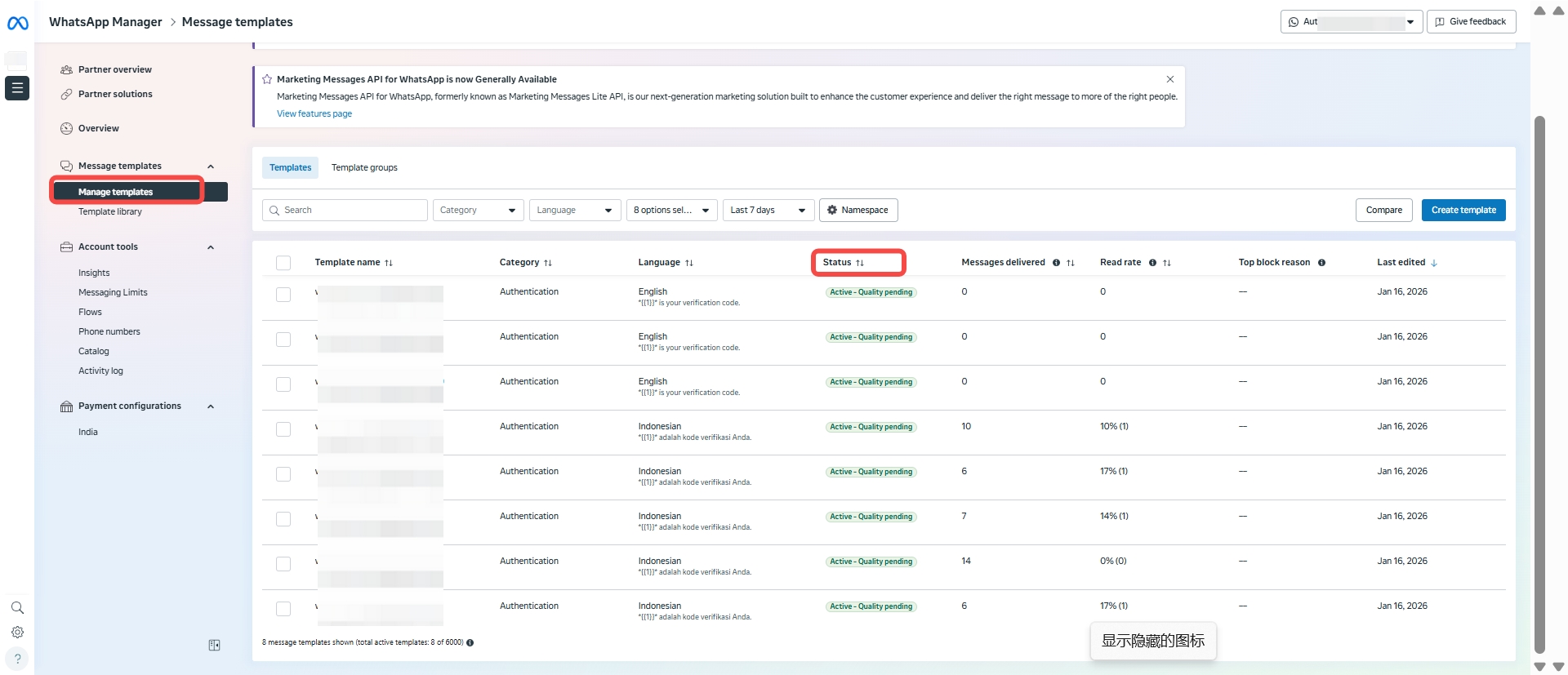
| Active - Quality pending | UNKNOWN | Approved | Sendable | New template, or not enough user feedback data has been collected within a certain period |
| Active - High quality | GREEN | Approved | Sendable | Template quality is excellent, with very few negative feedbacks |
| Active - Medium quality | YELLOW | Approved | Sendable | Has received considerable negative feedback; it is recommended to optimize and adjust the template |
| Active - Low quality | RED | Approved | Sendable (high risk) | Has received a large amount of negative feedback and faces suspension risk; it is recommended to stop sending this template immediately and wait for quality to recover |
| In review | UNKNOWN | Pending | Not sendable | Template has been submitted and is awaiting Meta review (usually 24-48 hours) |
| Rejected | UNKNOWN | Rejected | Not sendable | Template was rejected due to policy violations or other reasons; an appeal can be filed |
| Appealed - in review | UNKNOWN | Pending | Not sendable | An appeal against the rejection decision has been submitted and is awaiting processing |
| Paused | RED | Paused | Not sendable | Paused by the system due to persistent negative feedback; can be restored. It is recommended to optimize and modify the template |
| Disabled | UNKNOWN | Disabled | Not sendable | Template has been permanently disabled due to serious violations |