> For the complete documentation index, see [llms.txt](https://docs.innopaas.com/llms.txt). Markdown versions of documentation pages are available by appending `.md` to page URLs; this page is available as [Markdown](https://docs.innopaas.com/documentation/documentation-en/whatsapp-product/waba-senders-basics-and-management/phone-numbers-senders/display-names.md).
# Display Names
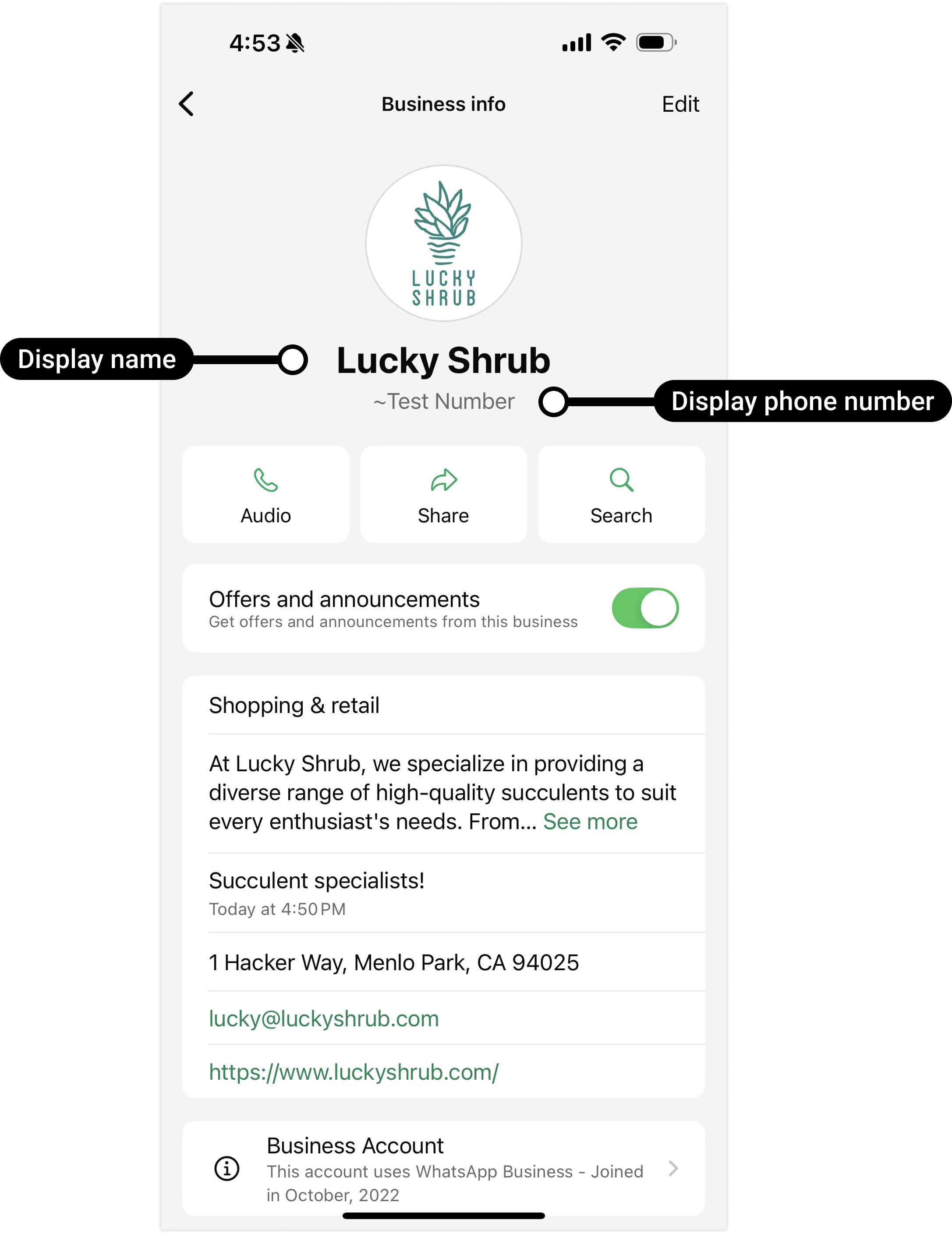
Each phone number has a corresponding display name, which must be associated with your company name or brand. The display name will appear on the WhatsApp profile of your phone number:
All display names will be reviewed by Meta. For specific requirements, please refer to [Display name guidelines for the WhatsApp Business Platform](https://www.facebook.com/business/help/757569725593362).
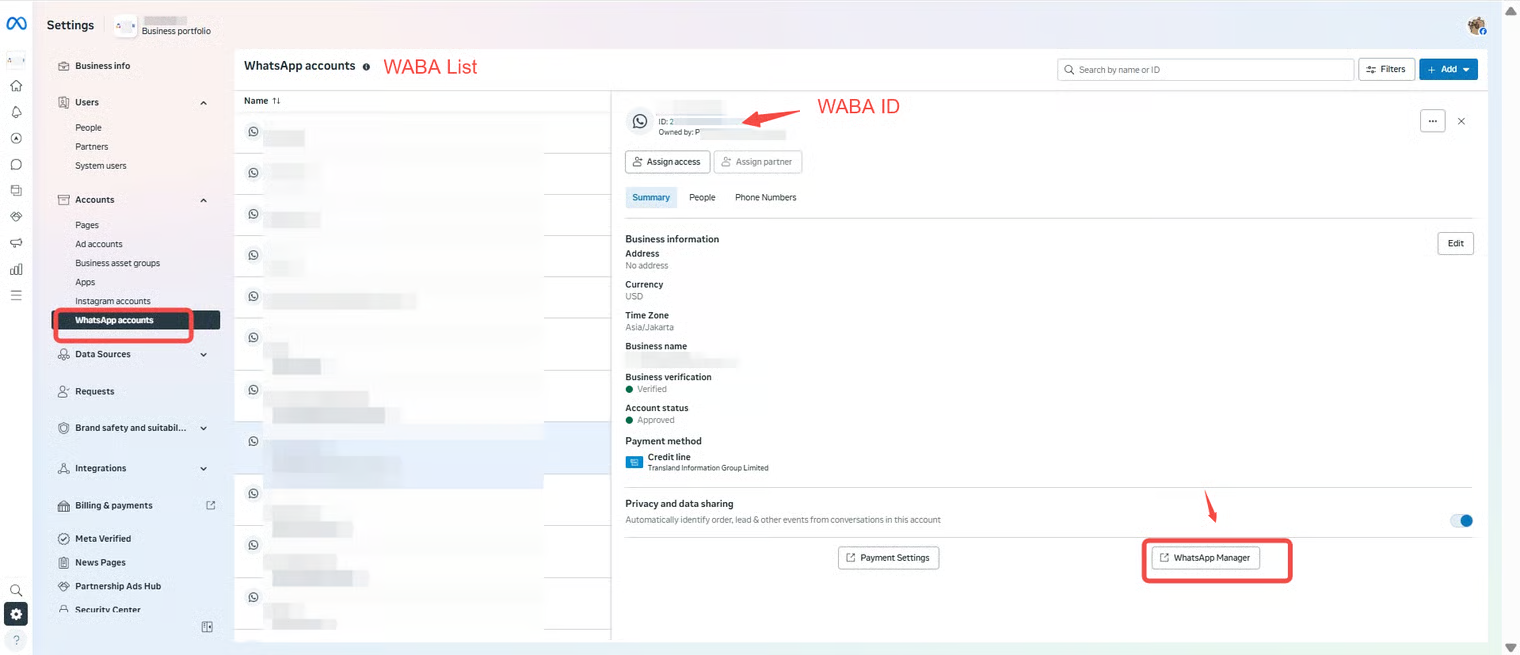
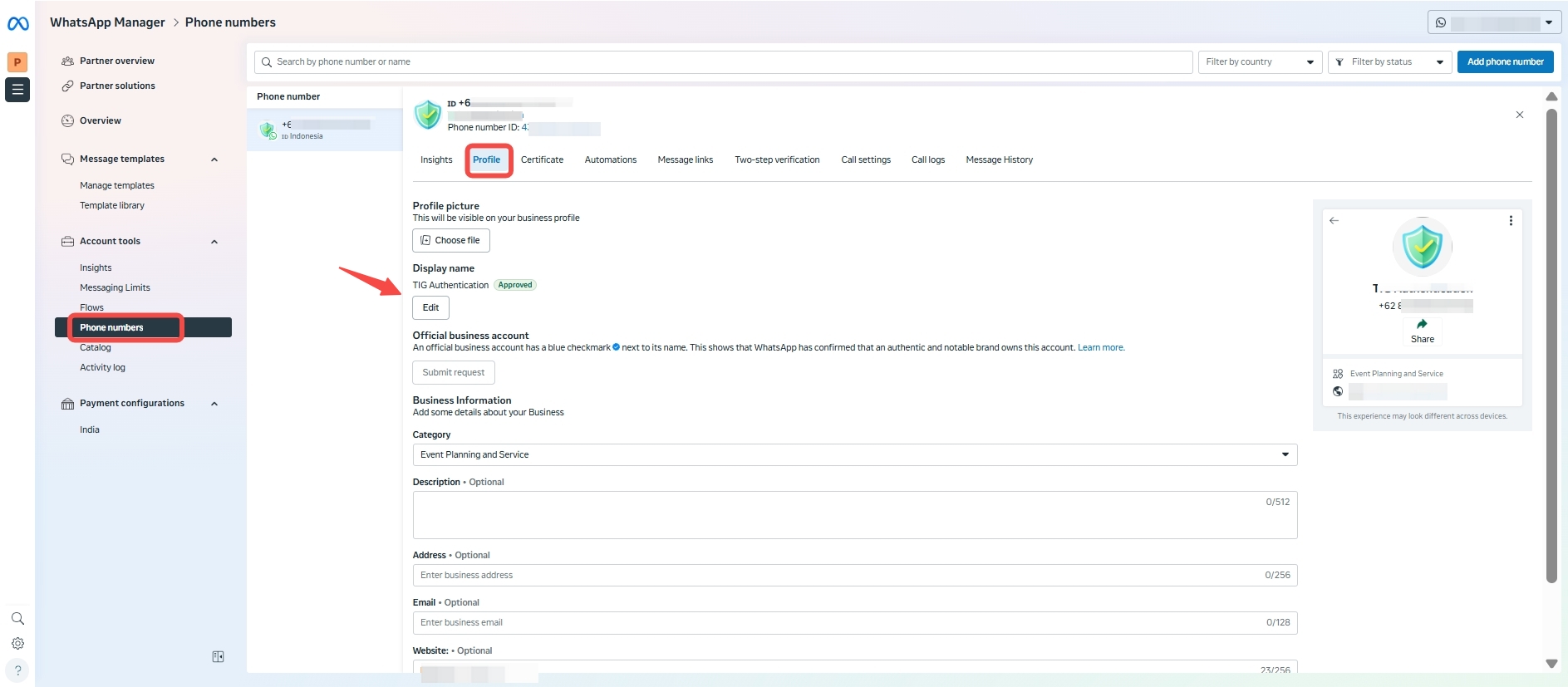
If you want to change the display name, go to [BM platform](https://business.facebook.com/latest/settings/whatsapp_account?business_id=), find the corresponding WABA, click “WhatsApp Manager” at the bottom right, then select “Phone Numbers”, enter the “Profile” section. You can modify the display name here, and you can also change the profile picture or add business details such as address, website, etc.