> For the complete documentation index, see [llms.txt](https://docs.innopaas.com/llms.txt). Markdown versions of documentation pages are available by appending `.md` to page URLs; this page is available as [Markdown](https://docs.innopaas.com/documentation/documentation-en/whatsapp-product/whatsapp-marketing-messages-api-mmlite.md).
# WhatsApp Marketing Messages API(MMLite)
MM API
## What is WhatsApp Marketing Messages API (MM API)?
Meta's WhatsApp Marketing Messages API (MM API, formerly known as “MM Lite API”) is an advanced interface specifically optimized for sending marketing messages. It is designed to help businesses conduct WhatsApp marketing campaigns more intelligently and efficiently while receiving detailed performance feedback.
If you aim to run professional marketing campaigns on WhatsApp and pursue measurable, optimizable results, upgrading to and using the WhatsApp Marketing Messages API is your best choice. It makes marketing smarter and more efficient.
What problems does it solve?
**Poor marketing message performance?**
The MM API automatically optimizes message delivery through an intelligent system, prioritizing users most likely to be interested to boost read and click-through rates.
**Unsure about campaign performance?**
It provides a detailed analytics dashboard where you can clearly view message delivery, read, and click data.
**Is your marketing content lacking appeal?**
* Supports richer media formats like GIF animations to make marketing content more engaging.
* Future updates will include automatic image optimization (e.g., adding animation effects) to make ads more eye-catching.
## How is it different from a regular Cloud API?
| Function | Cloud API | MM API |
| ----------------- | ------------------------------------------------------------------------------------------------------------- | ------------------------------------------------------------------------------------------------------------------------------------ |
| Send Message Type | All types: Customer service messages, verification codes, transaction notifications, marketing messages, etc. | Focus solely on marketing messages |
| Delivery Method | Send to preset list | Smart Optimization Delivery: The system will attempt to identify the most likely audience to engage and prioritize delivery to them. |
| Use Scenarios | Full business processes including customer service, transaction notifications, and user verification | Specialized marketing campaigns designed to drive higher conversion rates and engagement |
Simply put: Think of the regular Cloud API as a “jack-of-all-trades tool,” while the MM API is a “specialized weapon” honed specifically for “marketing and promotion.” It's sharper and more effective in marketing scenarios.
## How to use it on the InnoPaaS platform?
First, [create a marketing message template](/documentation/documentation-en/whatsapp-product/editor/marketing-templates.md) and wait for Meta's review.
Once the template is approved, proceed with MM API authorization as shown below.
**Step 1**: Select WABA for authorization
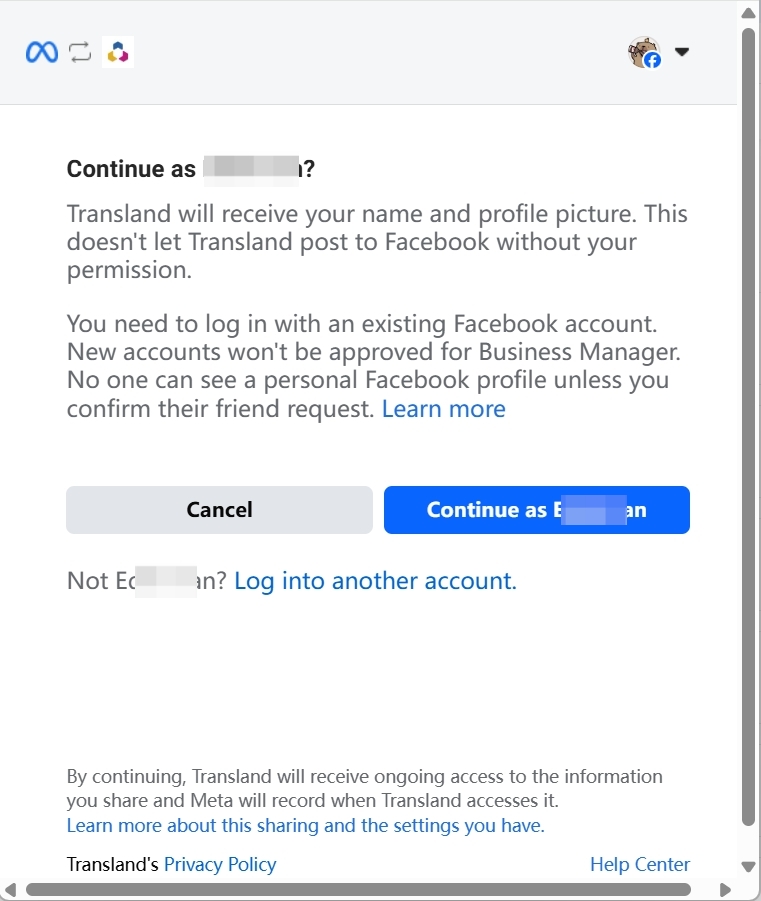
**Step 2**: Log in to Facebook
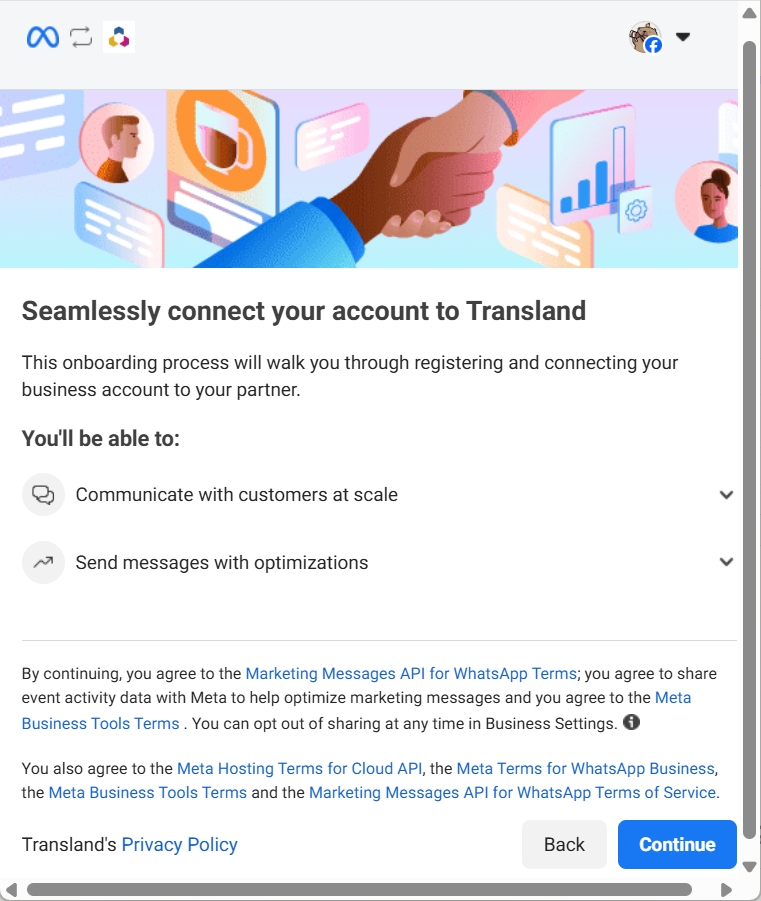
**Step 3**: Confirm Privacy Policy
**Step 4**: Choose your business portfolio (BM)
**Step 5**: Select the WABA you want to authorize
**Step 6**: Reciew Transland's access request
**Step 7**: Authorization successful
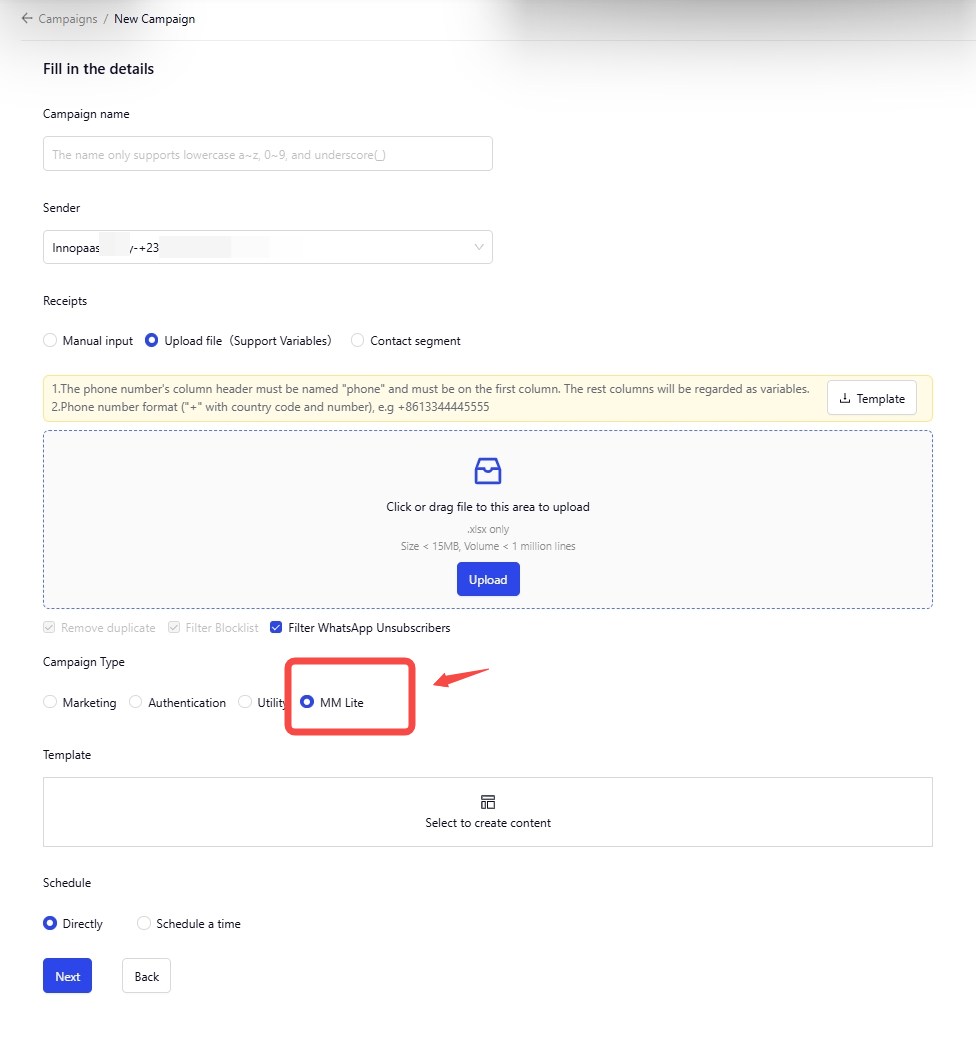
After authorization, you can select the MM API for marketing campaigns on the “[Campaigns](/documentation/documentation-en/whatsapp-product/campaigns.md)” page.
Select a Sender authorized for the MM API, then choose “MM Lite”.
## Create message templates and send messages using the API interface
please refer to:
{% content-ref url="/spaces/TjPy9fKSkRxSoNbS4f9T/pages/33f9820b24524e06e81369589aa8533cd13296e4" %}
[WhatsApp Business API](/api-reference/api-reference-en/whatsapp-business-api/whatsapp-business-api.md)
{% endcontent-ref %}