> For the complete documentation index, see [llms.txt](https://docs.innopaas.com/llms.txt). Markdown versions of documentation pages are available by appending `.md` to page URLs; this page is available as [Markdown](https://docs.innopaas.com/guide/account/chong-zhi.md).

# 充值

目前，InnoPaaS平台支持钱包充值和产品充值功能。

* **钱包充值**：支持将钱包余额充值至其他产品。
* **产品充值**：仅限当前产品使用。例如，若为WhatsApp产品充值100美元，该金额仅可在WhatsApp产品内使用。

## 钱包充值

点击主页上的“TOP UP”按钮。

<figure><img src="/files/WCqpQgc1SV4ddkvEY9SL" alt=""><figcaption></figcaption></figure>

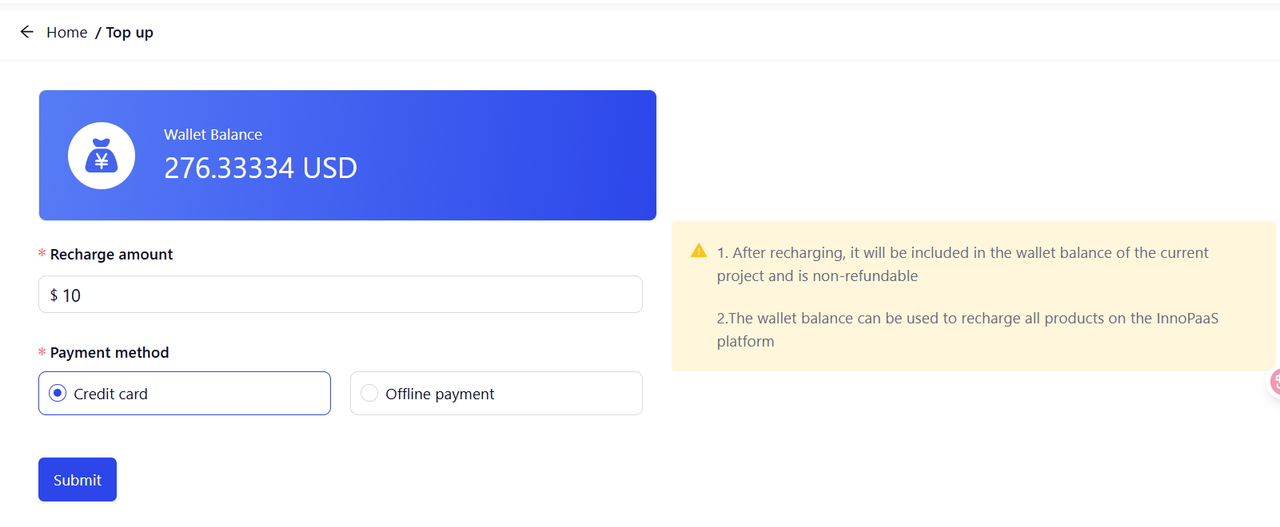
目前，我们支持两种充值方式：信用卡充值和线下充值。我们强烈建议您使用信用卡充值。

<figure><img src="/files/SmeEhFiAU1C3lP6bzVdQ" alt=""><figcaption></figcaption></figure>

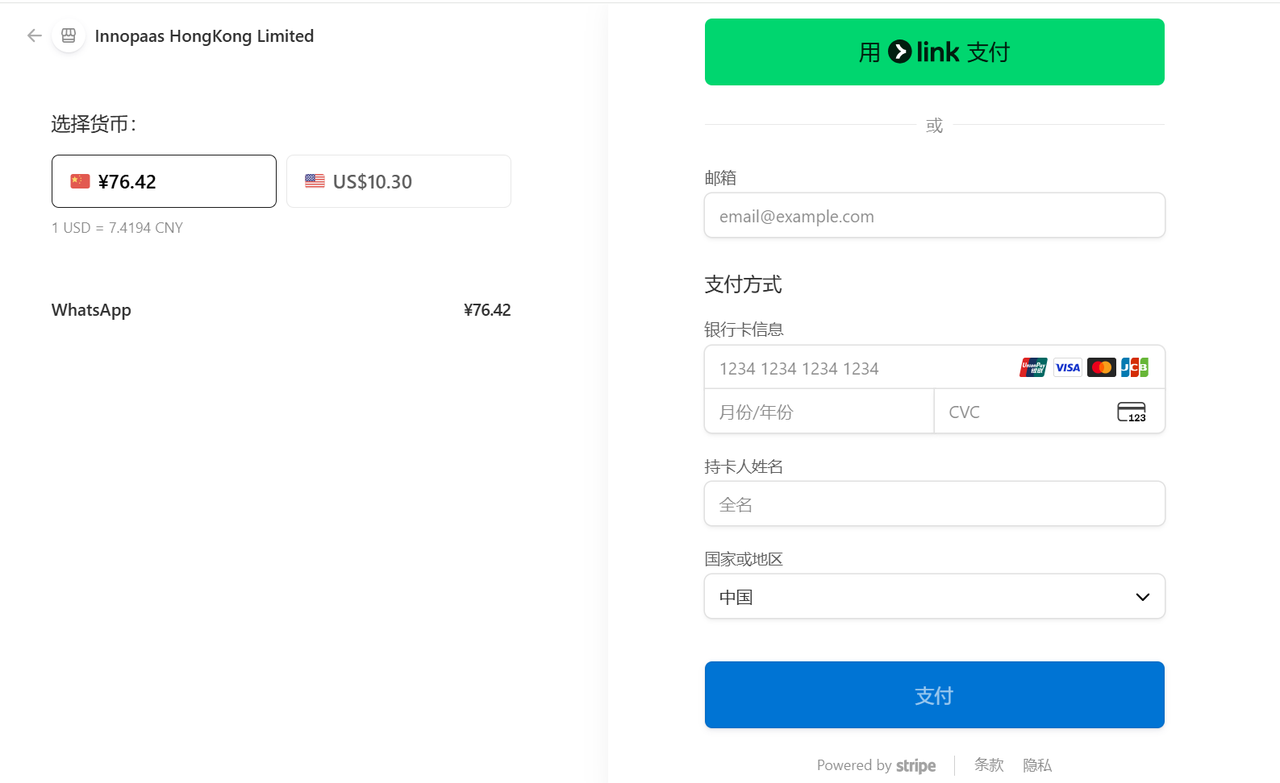
点击“Submit进入充值页面，填写您的邮箱和支付信息，然后点击“支付”。

<figure><img src="/files/G5qnI7Mv4uGihLyCypLM" alt=""><figcaption></figcaption></figure>

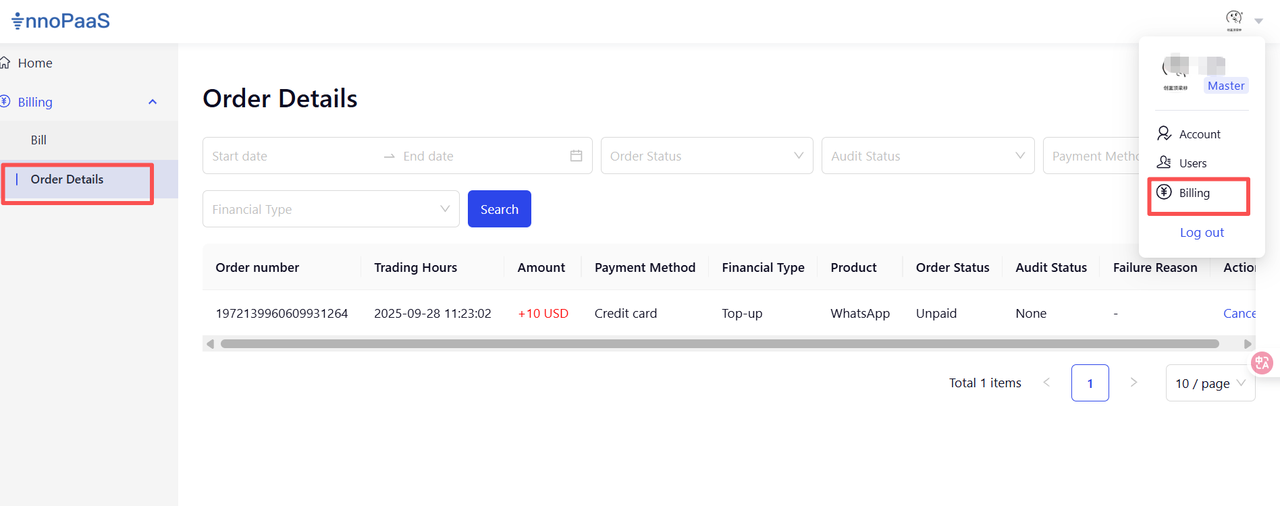
付款后，请返回InnoPaaS平台查看余额和订单。

<figure><img src="/files/yZ899Vt0ke963lhD1sLT" alt=""><figcaption></figcaption></figure>

点击“Billing”→“Order Details”查看订单状态及详细信息。

<figure><img src="/files/rnnCdQR24fCWere4HoMl" alt=""><figcaption></figcaption></figure>

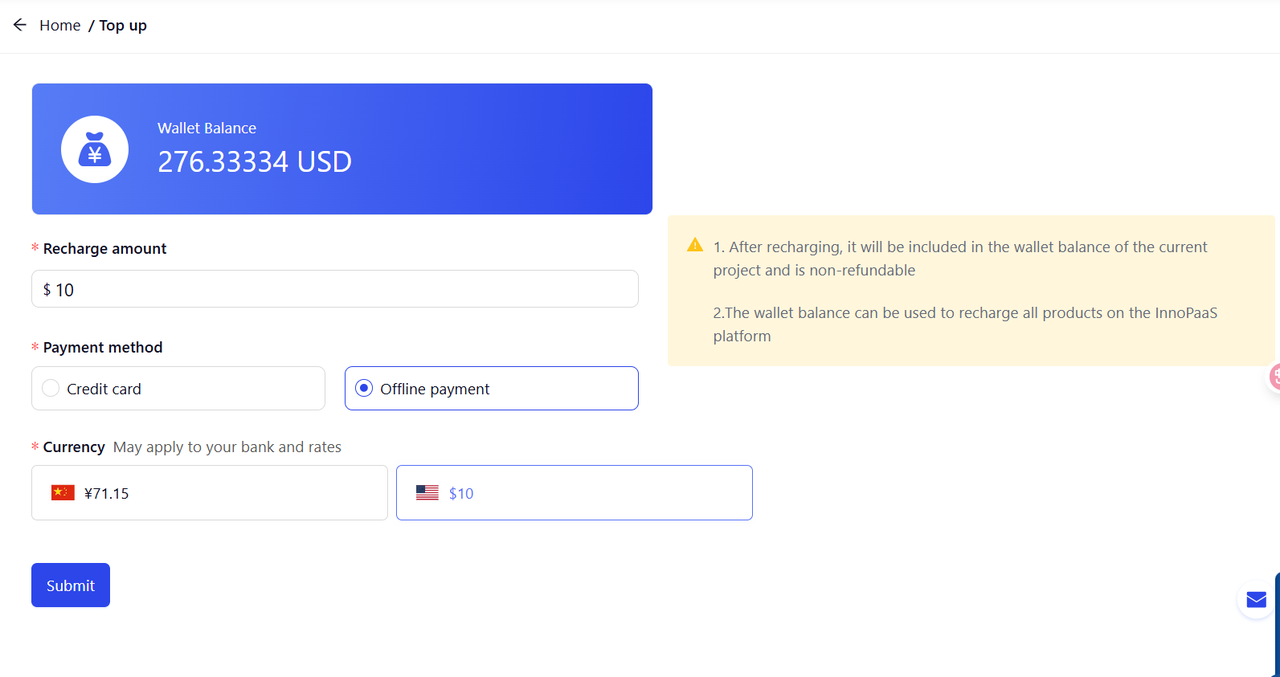
线下充值支持人民币和美元充值。充值过程中如有任何疑问，请[联系我们](/bang-zhu-yu-zhi-chi/innopaas-tuan-dui.md)。

<figure><img src="/files/m2BnE8pBAhFVVBwMYB0O" alt=""><figcaption></figcaption></figure>

## 产品充值

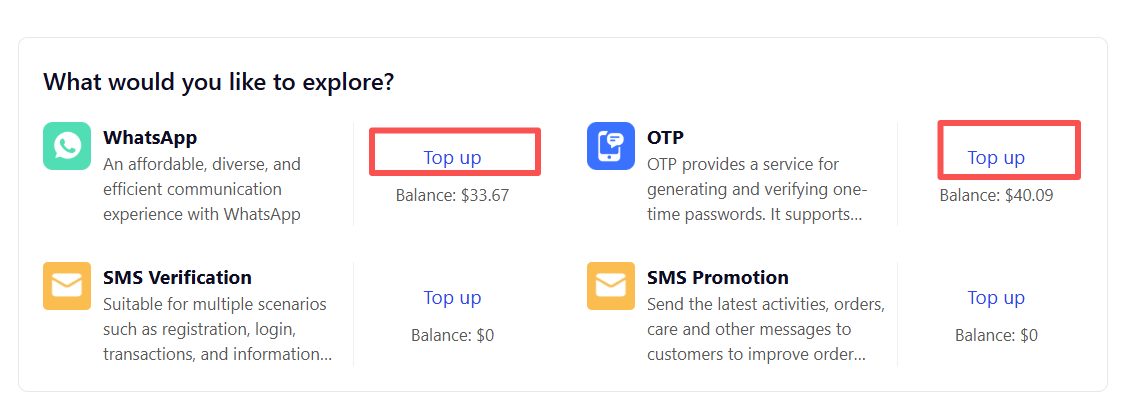
选择您要充值的产品，点击“TOP UP”按钮，进入充值页面。

<figure><img src="/files/7qDVWVOWaIo0rg10iEiI" alt=""><figcaption></figcaption></figure>

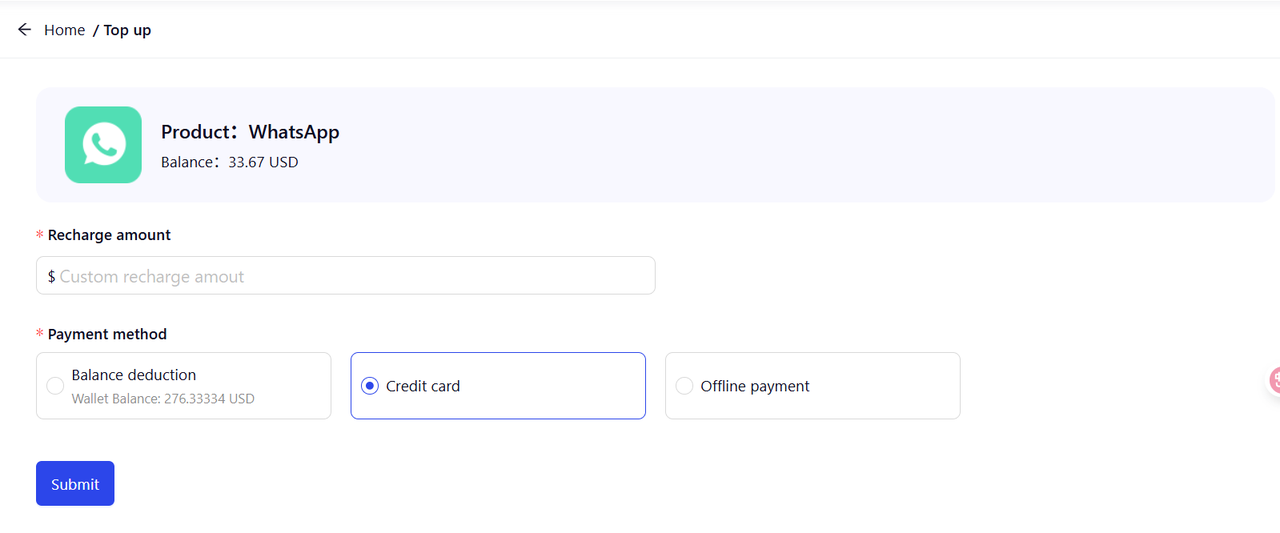
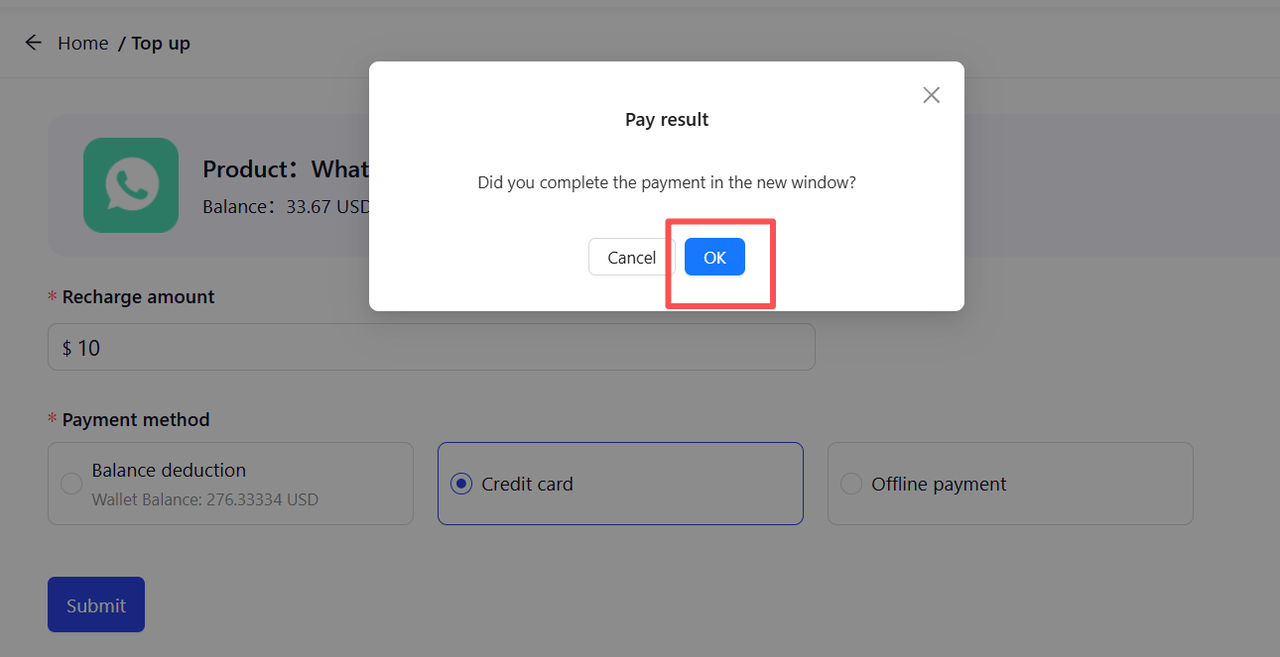
目前支持三种充值方式：信用卡充值、线下充值和余额充值。我们强烈建议您使用信用卡充值或余额充值。
<figure><img src="/files/edvT4jWeGi8pbrXrG7Fk" alt=""><figcaption></figcaption></figure>


---

# Agent Instructions
This documentation is published with GitBook. GitBook is the documentation platform designed so that both humans and AI agents can read, navigate, and reason over technical content effectively. Learn more at gitbook.com.

## Querying This Documentation
If you need additional information that is not directly available in this page, you can query the documentation dynamically by asking a question.

Perform an HTTP GET request on the current page URL with the `ask` query parameter, and the optional `goal` query parameter:

```
GET https://docs.innopaas.com/guide/account/chong-zhi.md?ask=<question>&goal=<endgoal>
```

`ask` is the immediate question: it should be specific, self-contained, and written in natural language.
`goal` is optional and describes the broader end goal you are ultimately trying to accomplish on behalf of the user. GitBook uses it to tailor the answer towards what is most useful for that goal.

The response will contain a direct answer to the question and relevant excerpts and sources from the documentation.

Use this mechanism when the answer is not explicitly present in the current page, you need clarification or additional context, or you want to retrieve related documentation sections.