# 上行验证码(FOTP)

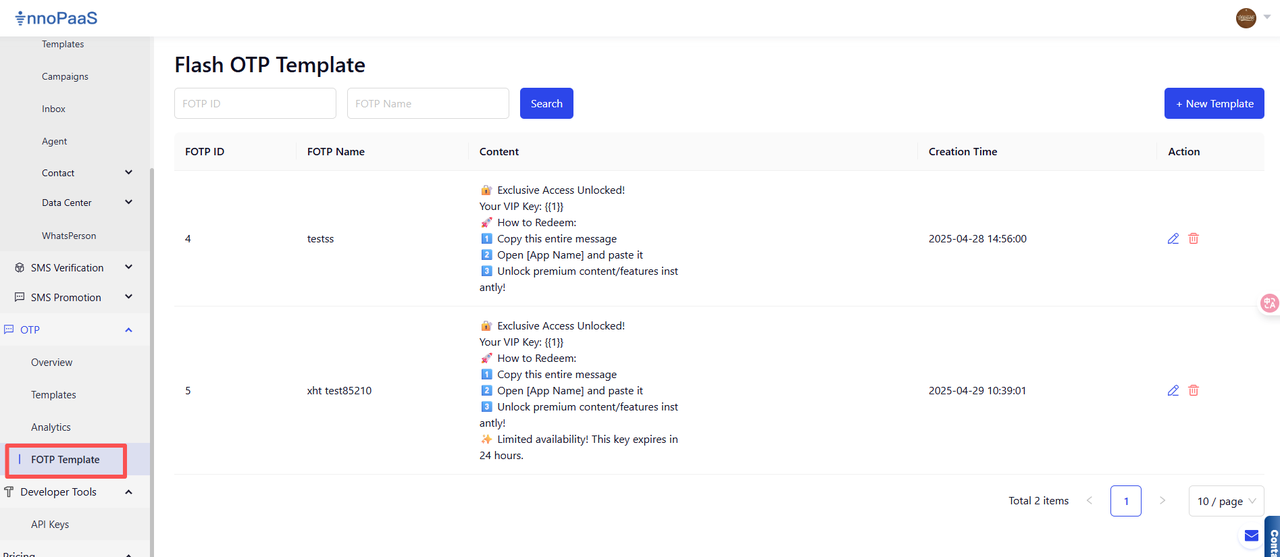
点击"OTP-FOTP"模板功能并创建新模板。

## 1. 创建新的Fotp模板

<figure><img src="/files/ZX8ySnsiOaimjpOEpbRL" alt=""><figcaption></figcaption></figure>

步骤1：点击\[+New Template]

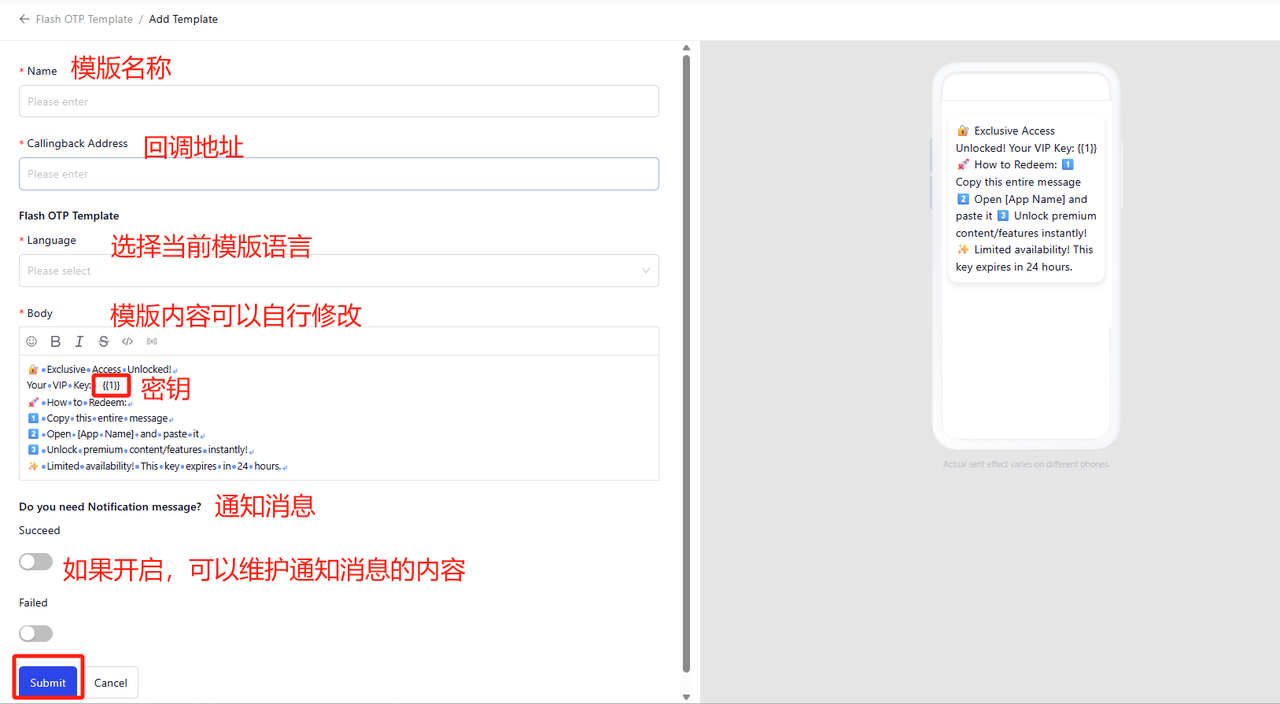
步骤2：根据实际需求维护模板内容

1. 填写模板名称及回调地址（客户端发送内容后，我们将向您推送包含文本内容和验证码的上游信息）。
2. 维护模板的语言及文本内容（默认内容为英文，可根据实际需求调整模板内容）。
3. 确认是否需要成功/失败通知消息，并维护通知消息内容。
4. 点击提交后，模板即生效。

<figure><img src="/files/rlHV6a3WBdEo91a2Tuuf" alt=""><figcaption></figcaption></figure>

## 2. 接口对接与发送

详情请参阅Fotp接口文档: <https://dash.readme.com/project/innopaas/v2.0/docs/fotp%E6%8E%A5%E5%8F%A3%E6%96%87%E6%A1%A3>


---

# Agent Instructions: Querying This Documentation

If you need additional information that is not directly available in this page, you can query the documentation dynamically by asking a question.

Perform an HTTP GET request on the current page URL with the `ask` query parameter:

```
GET https://docs.innopaas.com/otp-chan-pin/shang-xing-yan-zheng-ma-fotp.md?ask=<question>
```

The question should be specific, self-contained, and written in natural language.
The response will contain a direct answer to the question and relevant excerpts and sources from the documentation.

Use this mechanism when the answer is not explicitly present in the current page, you need clarification or additional context, or you want to retrieve related documentation sections.