> For the complete documentation index, see [llms.txt](https://docs.innopaas.com/llms.txt). Markdown versions of documentation pages are available by appending `.md` to page URLs; this page is available as [Markdown](https://docs.innopaas.com/whatsapp-chan-pin/editor/ying-xiao-marketing-mu-ban.md).

# 营销(Marketing)模板

如何在InnoPaaS平台创建WhatsApp营销模板。

## 1. 登录[InnoPaaS账号](https://innopaas.com/control/login)

## 2. 选择WABA

选择WhatsApp产品，选择“Templates”，进入页面后选择想要在哪个WABA下创建消息模板，点击“+ New templates”。

<figure><img src="https://2201452154-files.gitbook.io/~/files/v0/b/gitbook-x-prod.appspot.com/o/spaces%2FtZIe9DCfJsGdG2Apng7d%2Fuploads%2FZkJLEOCqpYwES2Bx0BCJ%2F20260918-172048.png?alt=media&amp;token=46aec620-5861-4a5e-8e4c-7b0a857da604" alt=""><figcaption></figcaption></figure>

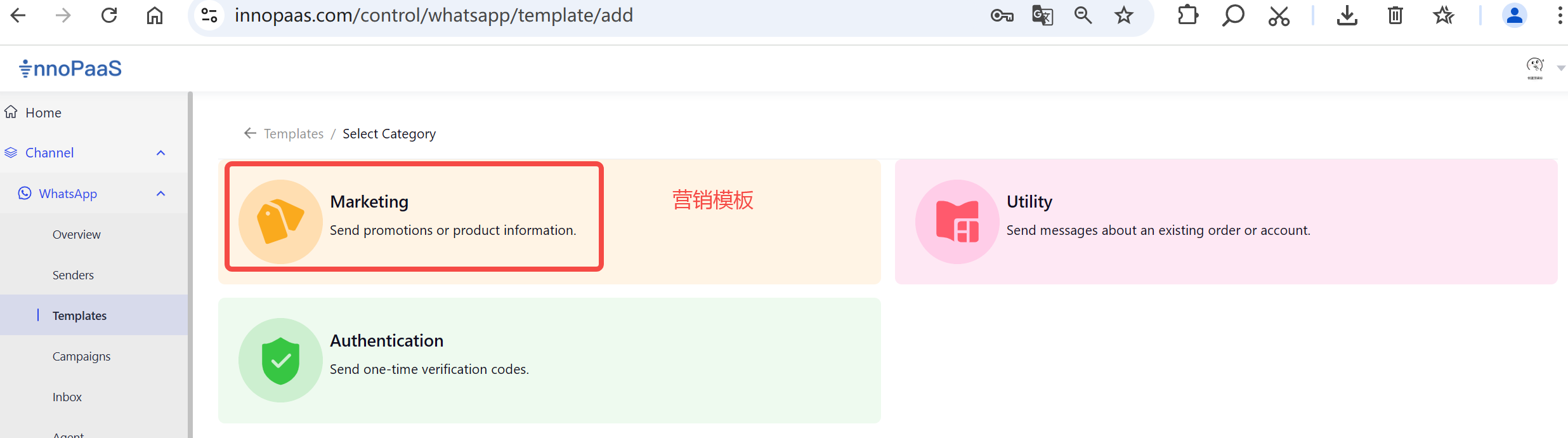
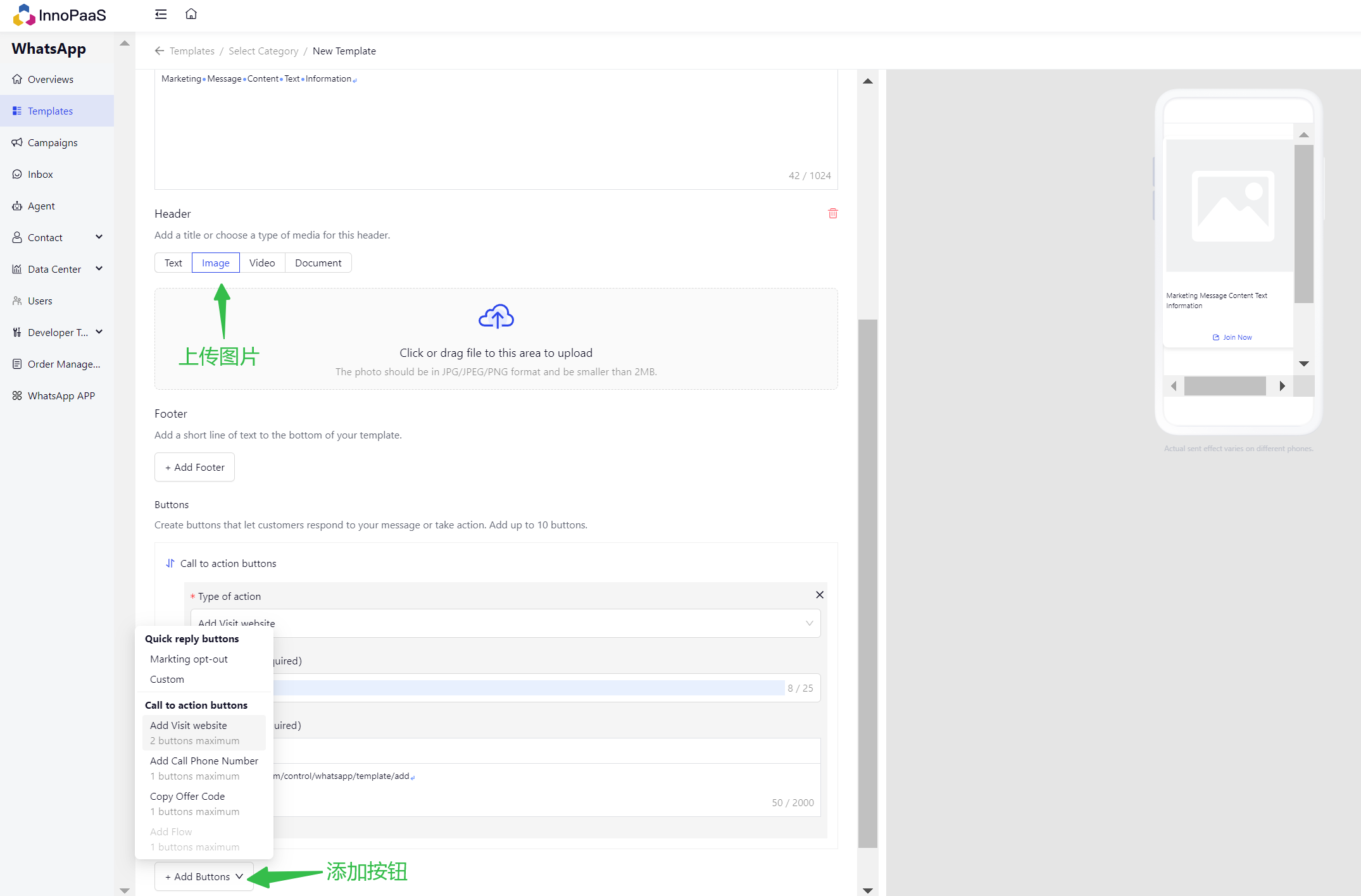
## 3. 选择营销模板类型

<figure><img src="https://2201452154-files.gitbook.io/~/files/v0/b/gitbook-x-prod.appspot.com/o/spaces%2FtZIe9DCfJsGdG2Apng7d%2Fuploads%2FSxzGVxj6RhQJiQEj0Wlo%2Fimage.png?alt=media&amp;token=b4ce05b0-81f3-4907-9d84-dc76b7af1450" alt=""><figcaption></figcaption></figure>

<figure><img src="https://2201452154-files.gitbook.io/~/files/v0/b/gitbook-x-prod.appspot.com/o/spaces%2FtZIe9DCfJsGdG2Apng7d%2Fuploads%2FBCEOoFeUVRBgxLGzyXPH%2Fimage.png?alt=media&amp;token=5cddaa37-1060-46e0-9208-cfa8cbcbcfa5" alt=""><figcaption></figcaption></figure>