# 机器人(Agent)

[InnoPaaS账号登录](https://innopaas.com/control/login)

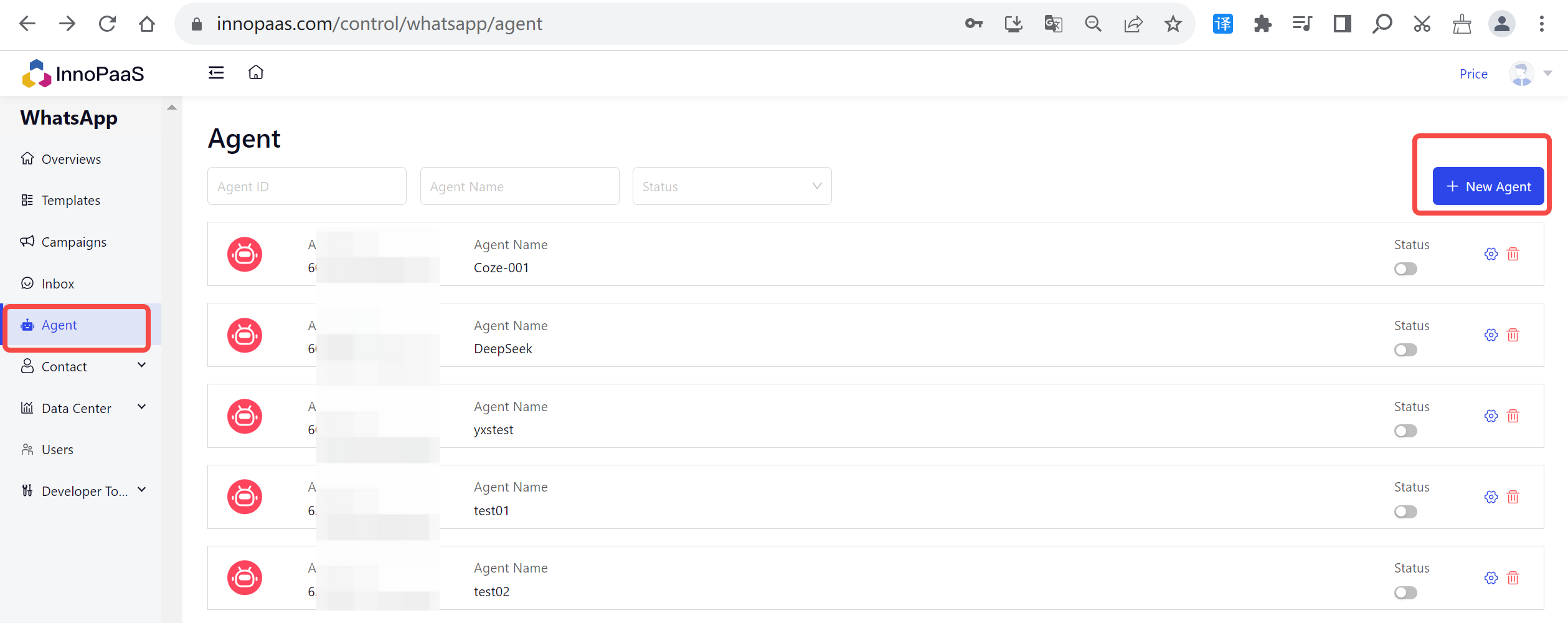
点击新建机器人（Agent）。

<figure><img src="https://2201452154-files.gitbook.io/~/files/v0/b/gitbook-x-prod.appspot.com/o/spaces%2FtZIe9DCfJsGdG2Apng7d%2Fuploads%2FNoBJHLYYqkNjaUJFzd2K%2Fimage.png?alt=media&#x26;token=41002948-955e-4d1d-b2bd-d6e5f2979036" alt=""><figcaption></figcaption></figure>

输入Agent名称并选择对接平台：coze，填写刚获得的参数并保存。

<figure><img src="https://2201452154-files.gitbook.io/~/files/v0/b/gitbook-x-prod.appspot.com/o/spaces%2FtZIe9DCfJsGdG2Apng7d%2Fuploads%2FcS0DZV6W93zbjYPD1nup%2Fimage.png?alt=media&#x26;token=45236a43-595c-4750-a64b-82966325ac7b" alt=""><figcaption></figcaption></figure>

您可以自定义Agent设置，例如营业时间、非营业时间回复语言等。

<figure><img src="https://2201452154-files.gitbook.io/~/files/v0/b/gitbook-x-prod.appspot.com/o/spaces%2FtZIe9DCfJsGdG2Apng7d%2Fuploads%2FKpwqxN8taaeb7pzA9PMe%2Fimage.png?alt=media&#x26;token=1e9e5d3a-42af-47db-8704-0a33ef27984a" alt=""><figcaption></figcaption></figure>

启动Agent回复进入Inbox并点击Agent头像，即可为当前对话设置专属Agent。若当前会话未配置Agent，则默认使用全局Agent。

<figure><img src="https://2201452154-files.gitbook.io/~/files/v0/b/gitbook-x-prod.appspot.com/o/spaces%2FtZIe9DCfJsGdG2Apng7d%2Fuploads%2FXX1HEL9YogB1RzaawySL%2Fimage.png?alt=media&#x26;token=049f6362-4157-4f36-b13c-0cc242103974" alt=""><figcaption></figcaption></figure>

有关详细的设置步骤，请阅读：

{% content-ref url="ji-qi-ren-agent/agent-coordinate-with-coze" %}
[agent-coordinate-with-coze](https://docs.innopaas.com/whatsapp-chan-pin/ji-qi-ren-agent/agent-coordinate-with-coze)
{% endcontent-ref %}