InnoPaaS API Getting Started Guide
API Signature Verification Instructions
Common Request Headers
To ensure API security, all endpoints must include security verification headers,
where Authorization and AppKey can only be obtained after creating an AppKey on the InnoPaaS platform
used for API authentication and validation; if validation fails, the API cannot be called and an authentication failure will be returned.
No.
Field
Data Type
Required
Description
1
Content-Type
String
Yes
Value is "application/json;charset=utf-8"; request body is JSON
2
AppKey
String
Yes
ApiKey, application access KEY
3
Authorization
String
Yes
Application authorization access token
Headers example code
headers = {
'Authorization': 'YUIYIUIAIIASUDIAOSIDUOIWUOQWUEOIUWOEUQWOEUOQWUOUWOUWQOWU',
'AppKey': 'XFbZY1rtTKo3UD4n1'
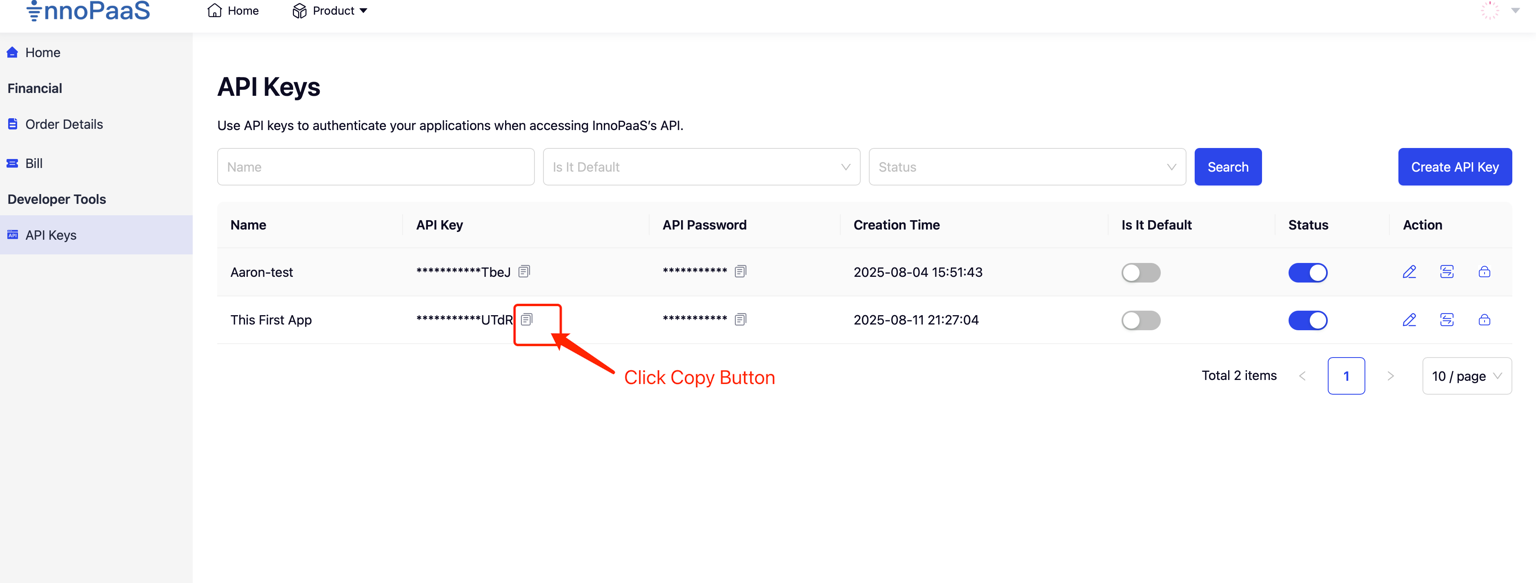
}Obtain AppKey
Click the [Copy] button in the app list to copy the AppKey

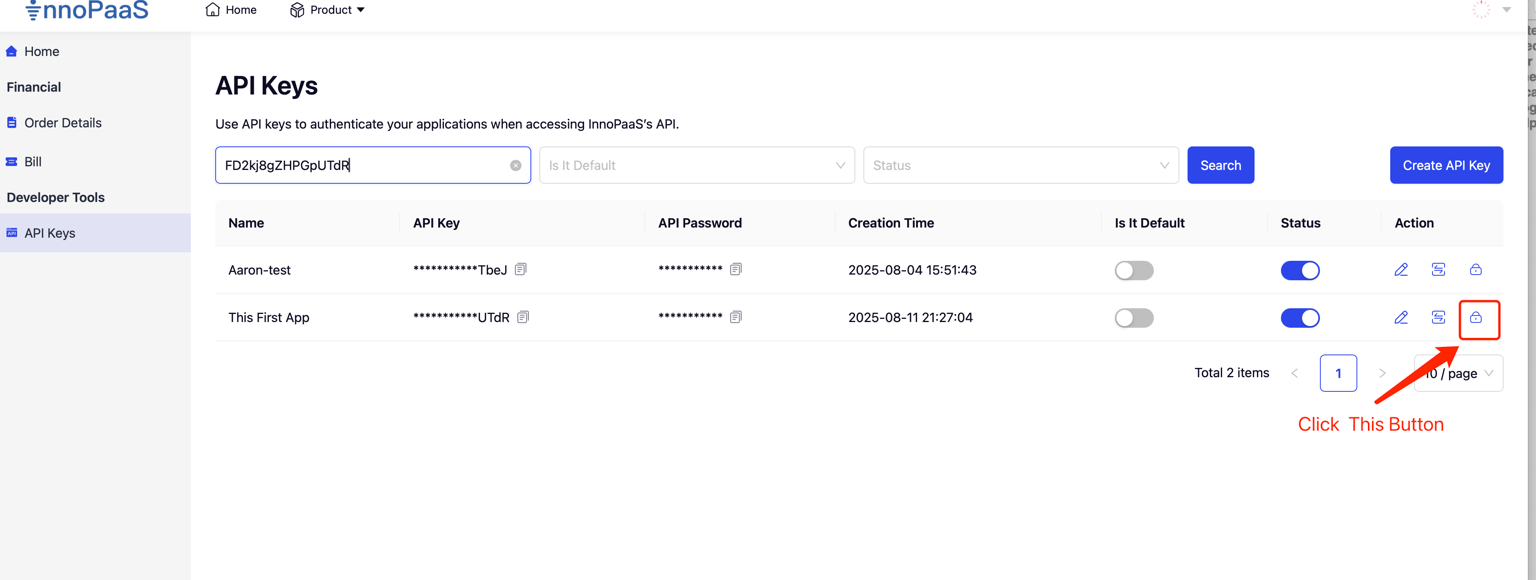
Obtain Authorization
1. Select the application and get the [Token] button to produce the Authorization information required for the app to access APIs in production,We do not store customers' token information; each generation will invalidate previously generated tokens. If the app's token is already used in your production environment, use this feature with caution. The old token becoming invalid may cause inability to access the API normally.

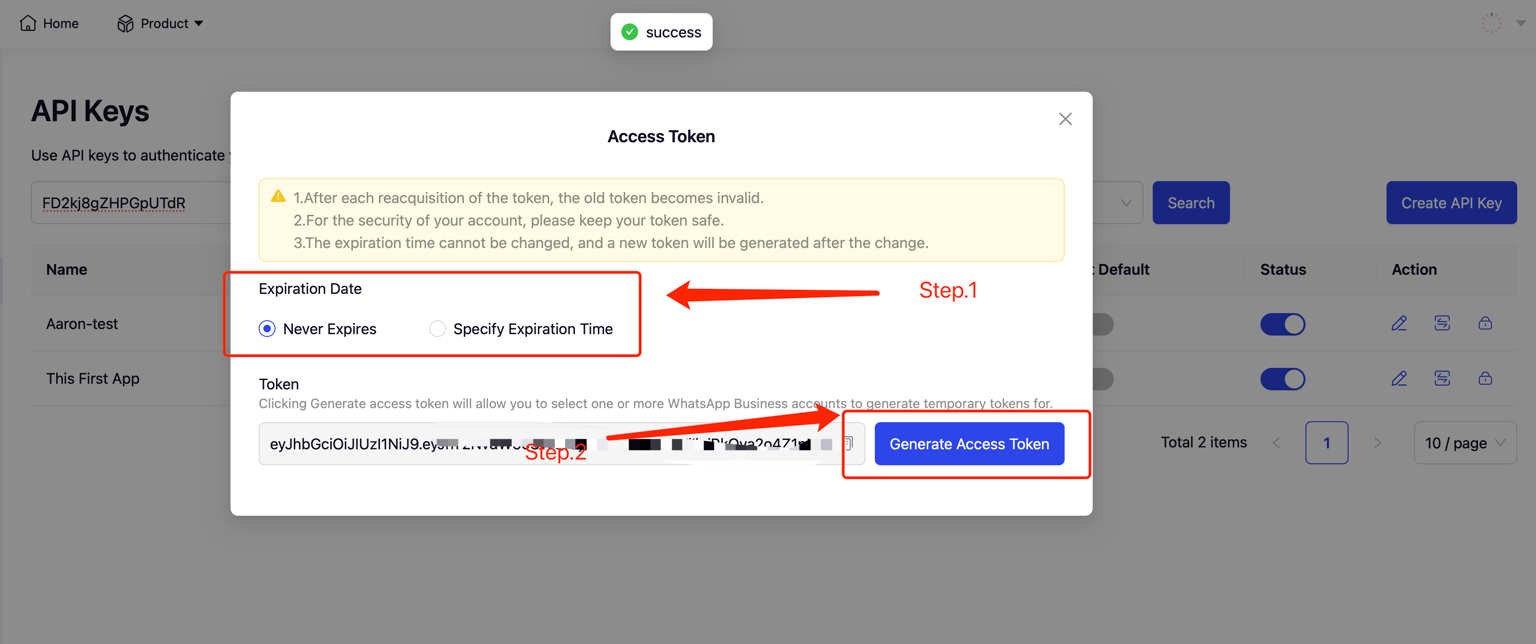
2. Generate and copy the token
Choose the token expiration time; default is never expires, but you can also specify an expiration date.
Click the [Create Access Token] button to generate the token
Click the [Copy] button to copy the token

Configure WebHook callback address
Configure WebHook events
When pushing templates, uplink replies and other message events, if the app cannot be recognized or matched, the data will be pushed to the default application. If there is no default application, it will not be pushed.
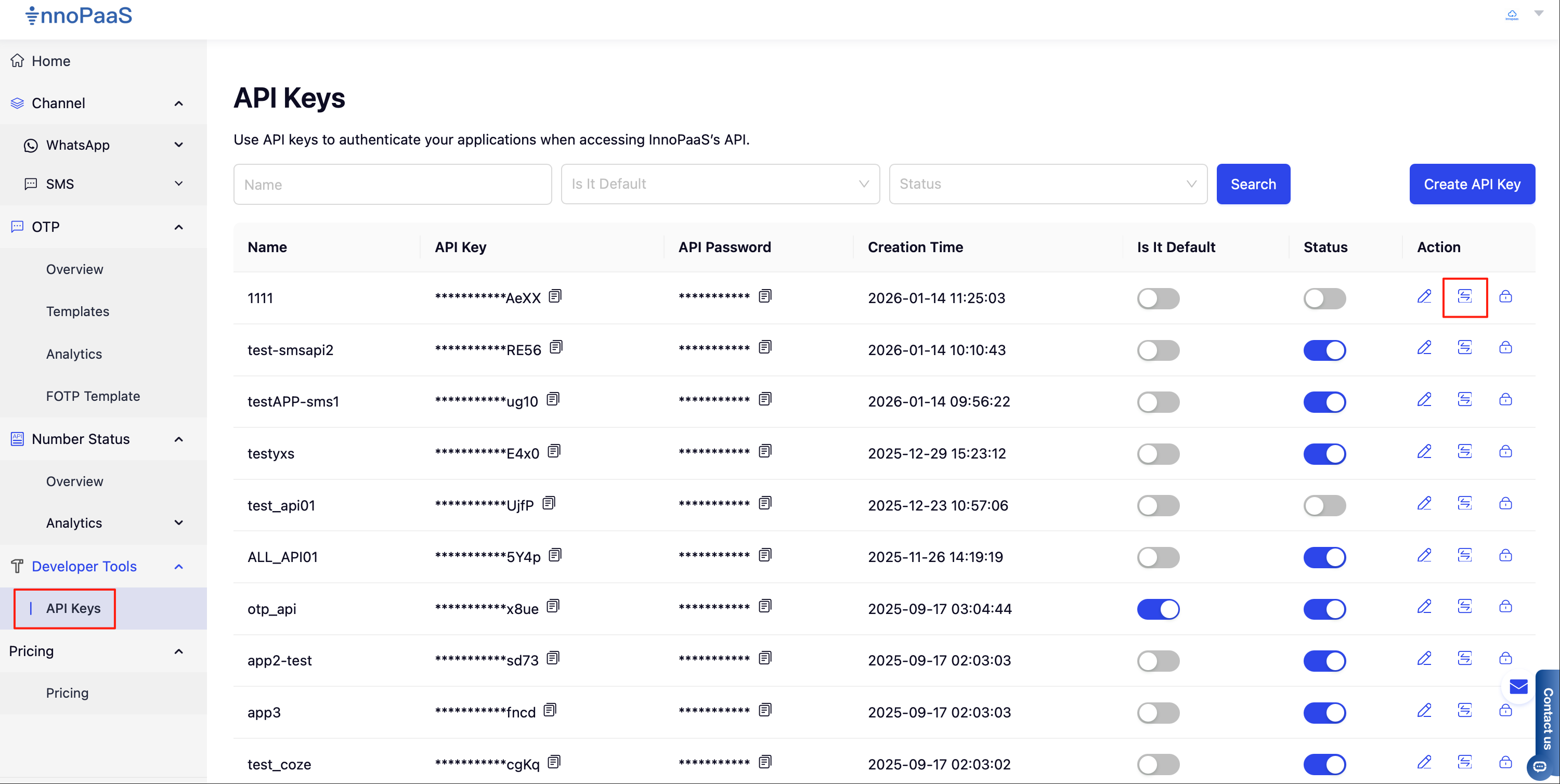
1. In the API Keys menu list, click the callback event configuration button to start configuration

2. Click the [Add] button to add

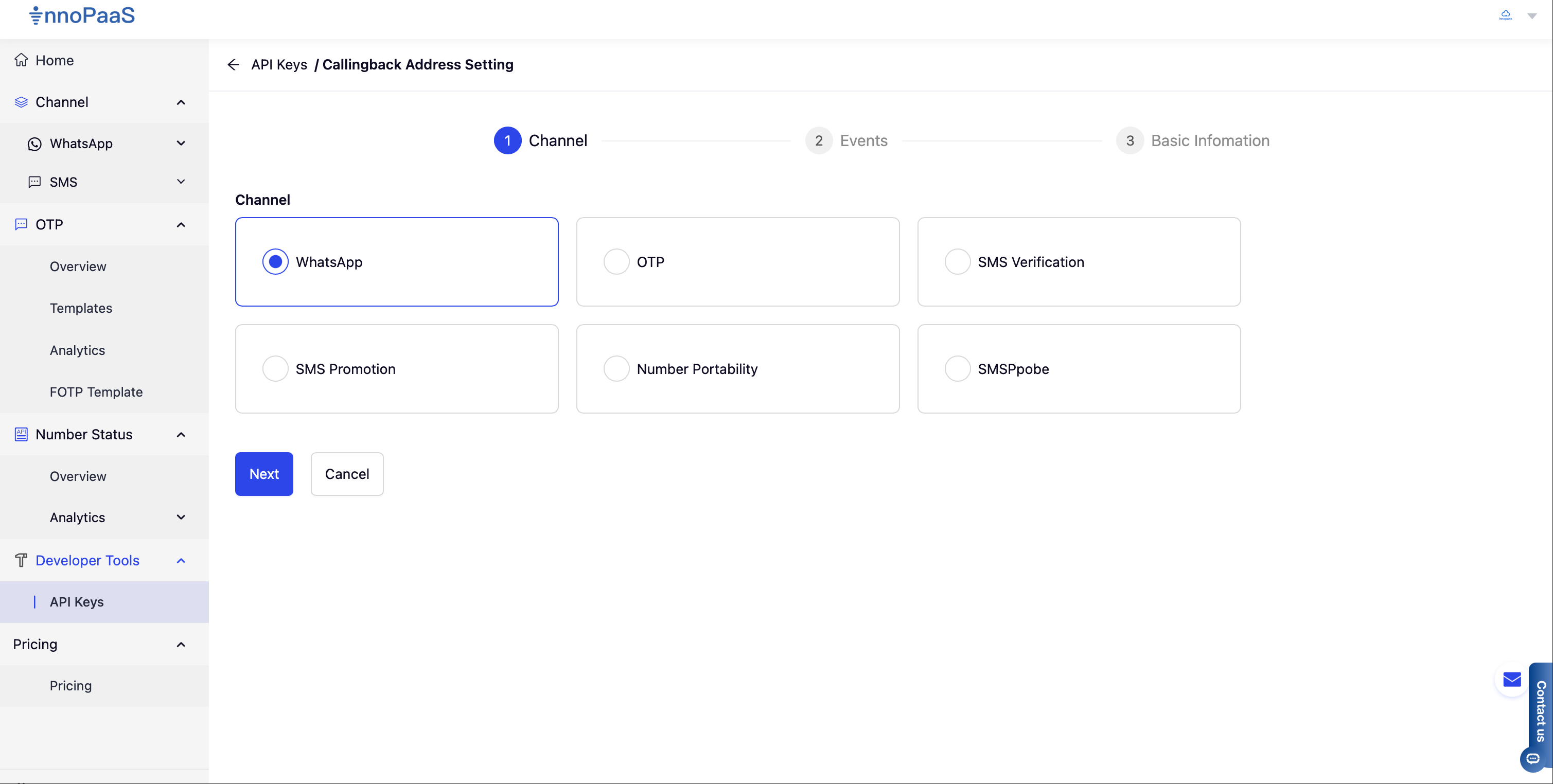
3. Select the product from the available product list for which you need to configure the WebHook

4. Configure the callback address and select the events to receive, then click Next to proceed

5. Select the callback request method, default is POST. If the customer's business system needs to verify the WebHook source, you can configure UserName and Authorization header information. When a WebHook notification is pushed, UserName and Authorization will be added to the headers and the customer's configured information will be pushed to the customer's system.

Last updated