# Configure WebHook

## Configure WebHook events

&#x20; **When pushing template messages, MO replies, and other events, if the App cannot be identified or matched, the data will be pushed to the default application; if there is no default application, it will not be pushed.** &#x20;

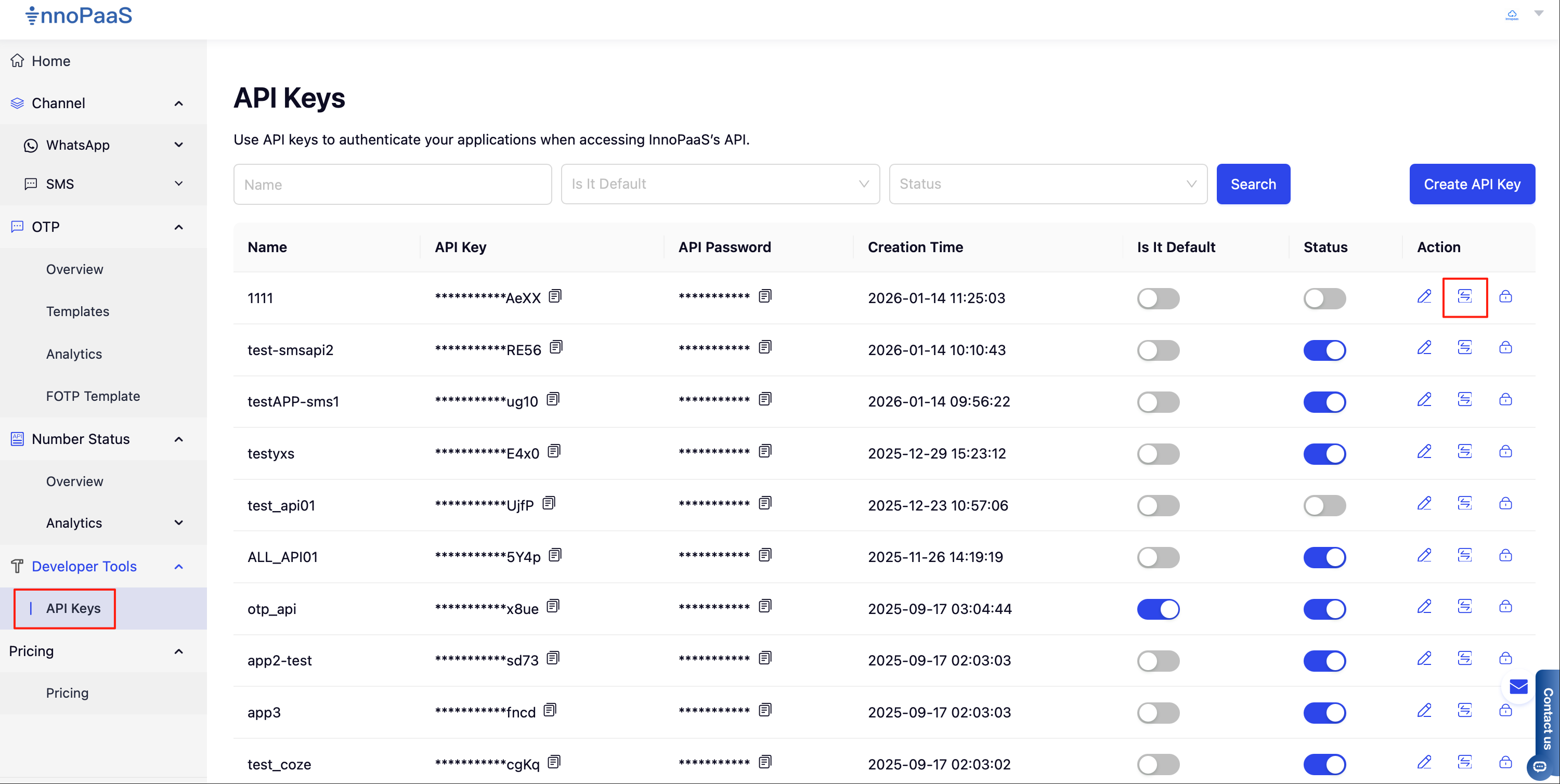
1\. In the API Keys feature menu list, click the callback event configuration button to start configuring

<figure><img src="/files/27bc07183a8f981d6f2c4d7047ed40fd1d52243e" alt=""><figcaption></figcaption></figure>

2\. Click the \[Add] button to add

<figure><img src="/files/c32c9073a27c03d753e3e819719db61cdf835a43" alt=""><figcaption></figcaption></figure>

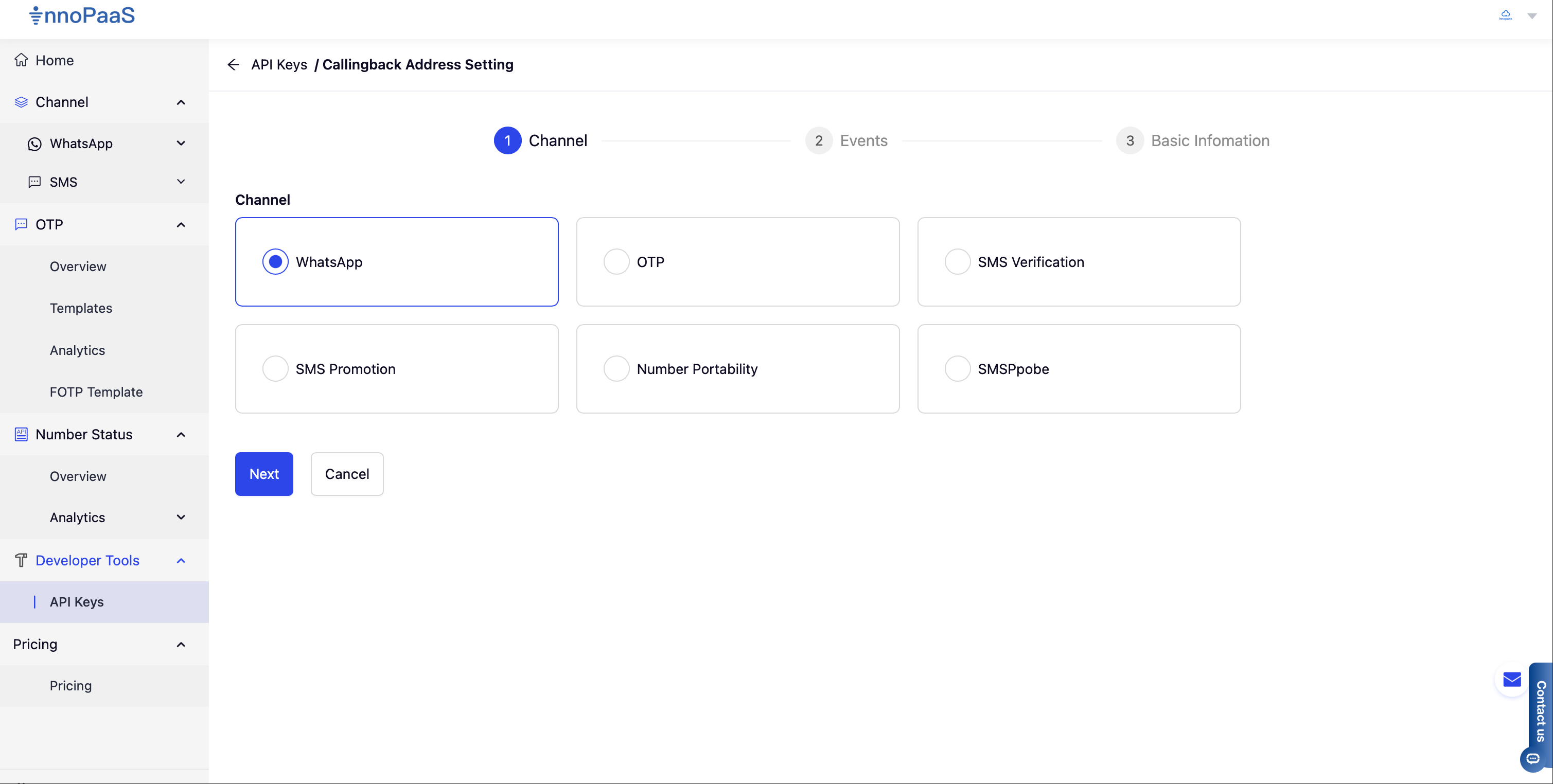
3\. Select the product for which you want to configure the WebHook from the available product list

<figure><img src="/files/4483ff1ec170ba18655d56dbddf8cab9f59bf453" alt=""><figcaption></figcaption></figure>

4\. Configure the callback address and select the events you want to receive, then click Next to proceed

<figure><img src="/files/d57e8d81e69435eabb82896e9b4ac123e1bde27d" alt=""><figcaption></figcaption></figure>

5\. Select the callback request method, default is POST. If the customer's business system needs to verify the source of the WebHook, you can configure UserName and Authorization header information. When the WebHook notification is pushed, UserName and Authorization will be added to the headers, and the customer's configured information will be pushed to the customer's system togethe&#x72;**.**

<figure><img src="/files/daf1a3c034fc831bdd7ee87227833d4628647465" alt=""><figcaption></figcaption></figure>

## WebHook common parameters

<table data-header-hidden><thead><tr><th width="107.8046875"></th><th width="92.015625"></th><th width="68.08203125"></th><th></th></tr></thead><tbody><tr><td>Field</td><td>Data type</td><td>Required</td><td>Description</td></tr><tr><td>id</td><td>String</td><td>Yes</td><td>File handle, identifier</td></tr><tr><td>type<br></td><td>String<br></td><td>Yes</td><td>Event type:<strong>whatsapp_message_status_updated</strong>: message status report (available) <strong>whatsapp_mo_message_received</strong>: incoming message (available)<strong>whatsapp_template_status_updated</strong>: template status updated (available) <strong>whatsapp_account_review_updated</strong>: account review status updated (updating) <strong>whatsapp_phone_number_name_update</strong>: sending number name updated (updating) </td></tr><tr><td>eventTime</td><td>String</td><td>Yes</td><td>Event time, e.g.: 2023-02-22 12:00:00</td></tr><tr><td>body</td><td>JSON</td><td>Yes</td><td>Message body</td></tr></tbody></table>


---

# Agent Instructions: Querying This Documentation

If you need additional information that is not directly available in this page, you can query the documentation dynamically by asking a question.

Perform an HTTP GET request on the current page URL with the `ask` query parameter:

```
GET https://docs.innopaas.com/api-reference/api-reference-en/whatsapp-business-api/webhook/configure-webhook.md?ask=<question>
```

The question should be specific, self-contained, and written in natural language.
The response will contain a direct answer to the question and relevant excerpts and sources from the documentation.

Use this mechanism when the answer is not explicitly present in the current page, you need clarification or additional context, or you want to retrieve related documentation sections.
